Connect Hermes Agent to Nbility: Use a Smoother OpenAI-Compatible Model API Entry
Part 2 of the AI Agent Getting Started series: from API Key, Base URL, and model name to verification commands, this article shows how to connect Hermes Agent to Nbility and explains why Agent apps naturally consume tokens.
This is Part 2 of the AI Agent Getting Started series. In the previous article, we got Hermes Agent running. This time we do something that directly affects the experience: connect the model API properly so the Agent can call models, use tools, write files, search information, and run commands reliably.
Summary
Many people hit a very practical problem the first time they try an AI Agent:
- Which model should I enter?
- Where should I put the API Key?
- Should the Base URL include
/v1? - Why does token usage feel fine in normal chat but climb quickly with an Agent?
- After configuration, how do I verify that it works for real tasks instead of only looking correct?
This article uses Hermes Agent as the example and records a complete model API connection flow. To keep the steps reusable, I explain it through an OpenAI-compatible interface. If your service provides an endpoint compatible with /v1/chat/completions, the same idea usually applies.
If you do not want to manage multiple model providers yourself, you can use my own token site directly:
- Nbility: https://nbility.dev
It works well as a unified model entry for AI Agents: configure one API Key and one Base URL, then call models by name from Hermes. This article does not push top-ups for their own sake. Nbility appears where an API is actually needed.
Why Connect the Model API First?
Installing Hermes Agent only gives you the frame of the vehicle. To really run it, you need three things:
- Model: understands the task, plans steps, and calls tools.
- Tool permissions: lets the Agent read and write files, execute commands, and access the web.
- Stable token supply: supports multi-turn context and tool calls.
A normal chatbot usually has one user message and one model reply. An Agent is different. It may go through a chain like this:
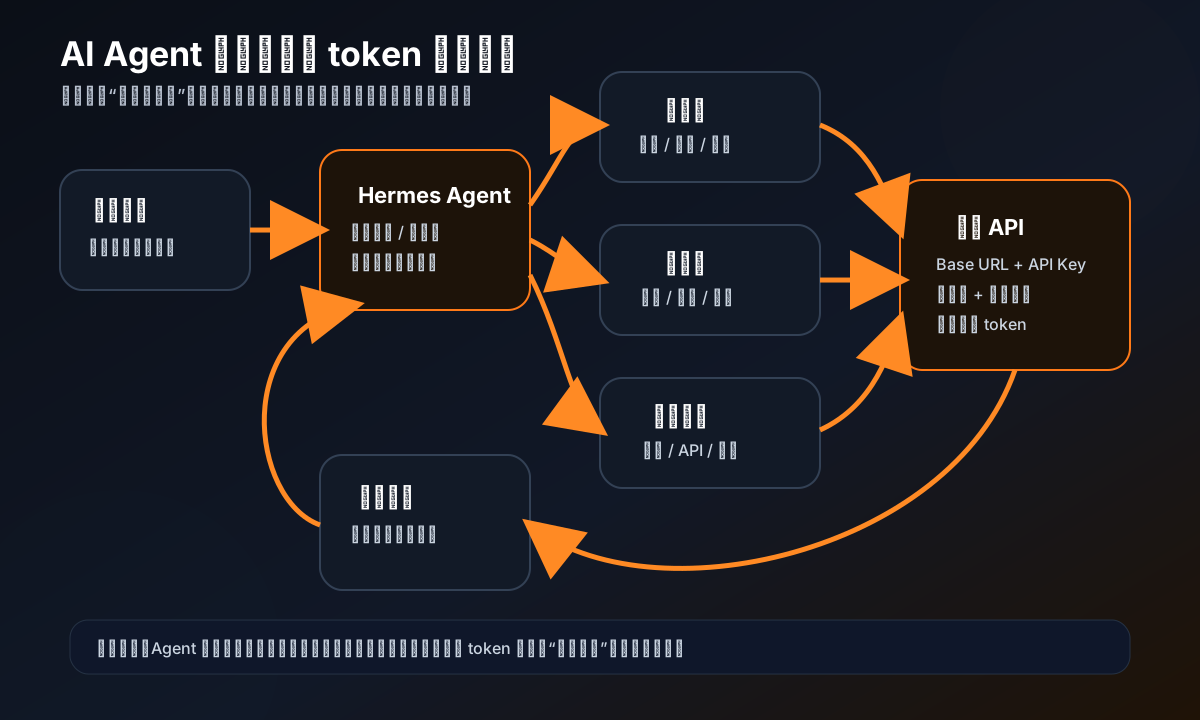
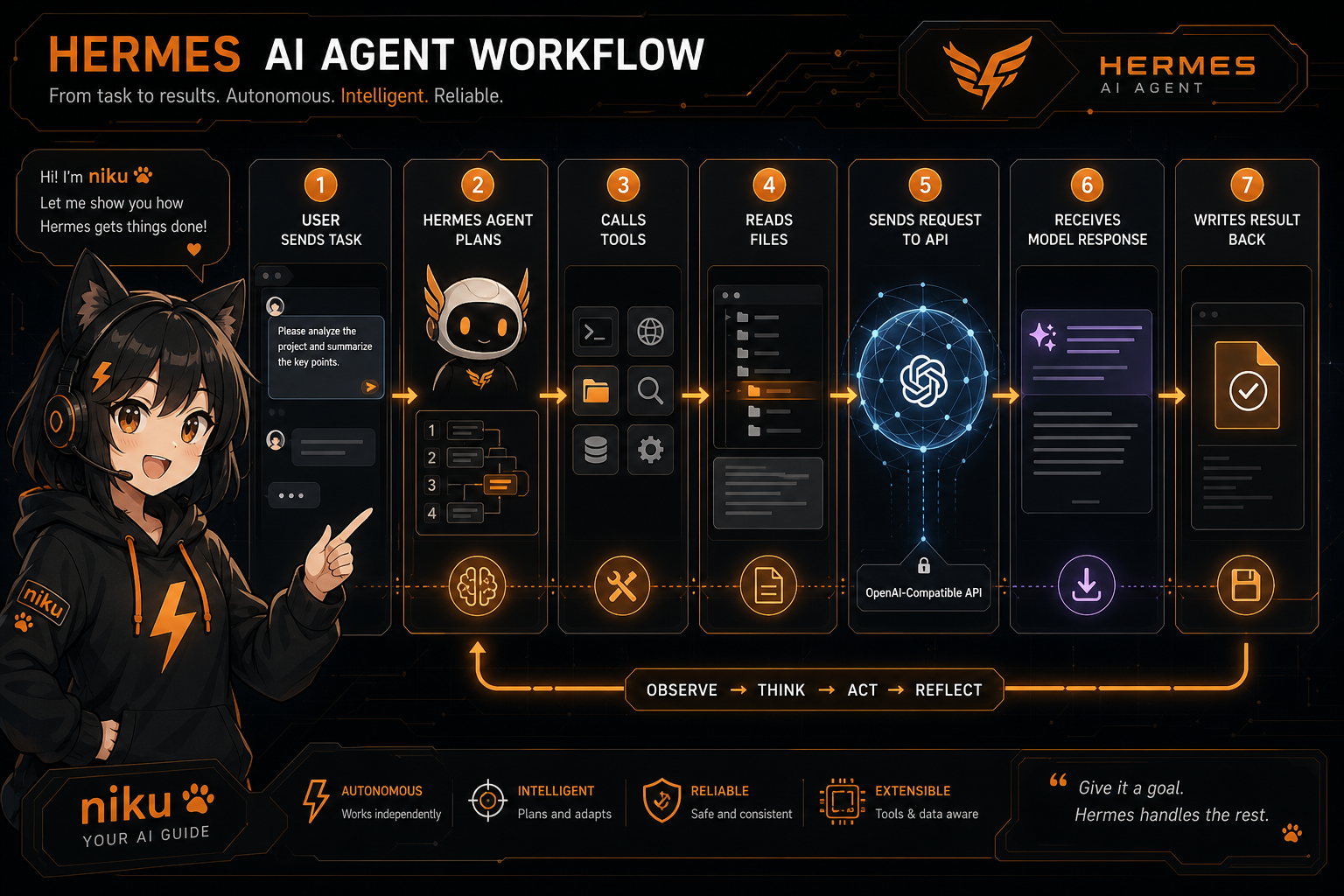
For example, if you ask Hermes:
帮我检查这个项目为什么启动失败,修好并跑一遍测试。
It may:
- read the project directory
- open configuration files
- search for error keywords
- run install or test commands
- modify code based on output
- run verification again
- summarize the result
Every step sends context, tool results, error logs, and code snippets back to the model. In other words, Agent token usage is not determined by “number of chat messages”. It is determined by task complexity, tool-call count, and context length.
So in this second article we connect the model entry first. This becomes the foundation for later deployments of OpenClaw, Dify, LobeChat, NextChat, and similar apps.
Prerequisites
Prepare:
- a computer or server where Hermes Agent is already installed
- a usable model API Key
- an OpenAI-compatible Base URL
- at least one model name you plan to call
If you use Nbility, the dashboard gives you:
API Key: sk-xxxxxxxxxxxxxxxxxxxx
Base URL: https://api.nbility.dev/v1
Model: the model name you plan to use
Note: Do not expose real API Keys in screenshots, tutorials, or group chats. All keys in this article use
[REDACTED]orsk-xxxx.
Step 1: Confirm the Hermes Configuration File Location
Hermes keeps its main configuration under the user directory:
~/.hermes/
├── config.yaml     # model, tools, terminal, compression, and other settings
├── .env            # sensitive values such as API Keys
├── skills/         # skills
├── sessions/       # session history
└── logs/           # logs
Check the config paths:
hermes config path
hermes config env-path
You will usually see something like:
/root/.hermes/config.yaml
/root/.hermes/.env
If you installed it as a normal user, the paths may be:
/home/your-username/.hermes/config.yaml
/home/your-username/.hermes/.env
Step 2: Put the API Key into .env
Sensitive values should go into .env, not directly into articles, screenshots, or Git repositories.
If your Hermes version supports hermes config set for writing environment variables, use:
hermes config set NBILITY_API_KEY "sk-你的真实key"
You can also edit manually:
nano ~/.hermes/.env
Add:
NBILITY_API_KEY=sk-你的真实key
After saving, confirm the variable exists without printing the real value:
grep '^NBILITY_API_KEY=' ~/.hermes/.env | sed 's/=.*/=[REDACTED]/'
Expected output:
NBILITY_API_KEY=[REDACTED]
Step 3: Configure an OpenAI-Compatible Model Entry in Hermes
Hermes supports many providers. For an OpenAI-compatible interface such as Nbility, the most general option is to configure a custom_providers entry.
Open the config file:
hermes config edit
Add a configuration like this:
model:
  provider: custom:nbility
  default: gpt-4.1-mini

custom_providers:
  - name: nbility
    base_url: https://api.nbility.dev/v1
    api_key: ${NBILITY_API_KEY}
    api_mode: chat_completions
What this means:
provider: custom:nbility: tells Hermes to use a custom provider namednbility.default: gpt-4.1-mini: the default model name. Replace it with a model you can actually use.base_url: OpenAI-compatible endpoint, usually including/v1.api_key: read from.env; do not hard-code the real key.api_mode: chat_completions: use the OpenAI Chat Completions-style interface.
If you want to specify a model temporarily, pass it when starting:
hermes chat -m gpt-4.1-mini
Or run a single-question test:
hermes chat -q "用一句话介绍 Hermes Agent" -m gpt-4.1-mini
Step 4: Run a Configuration Check
After editing the config, let Hermes check itself:
hermes config check
If the config is valid, inspect status:
hermes status --all
Pay attention to three things:
- whether the current provider is
custom:nbility - whether the default model is the one you entered
- whether Hermes reports a missing API Key or a misspelled config field
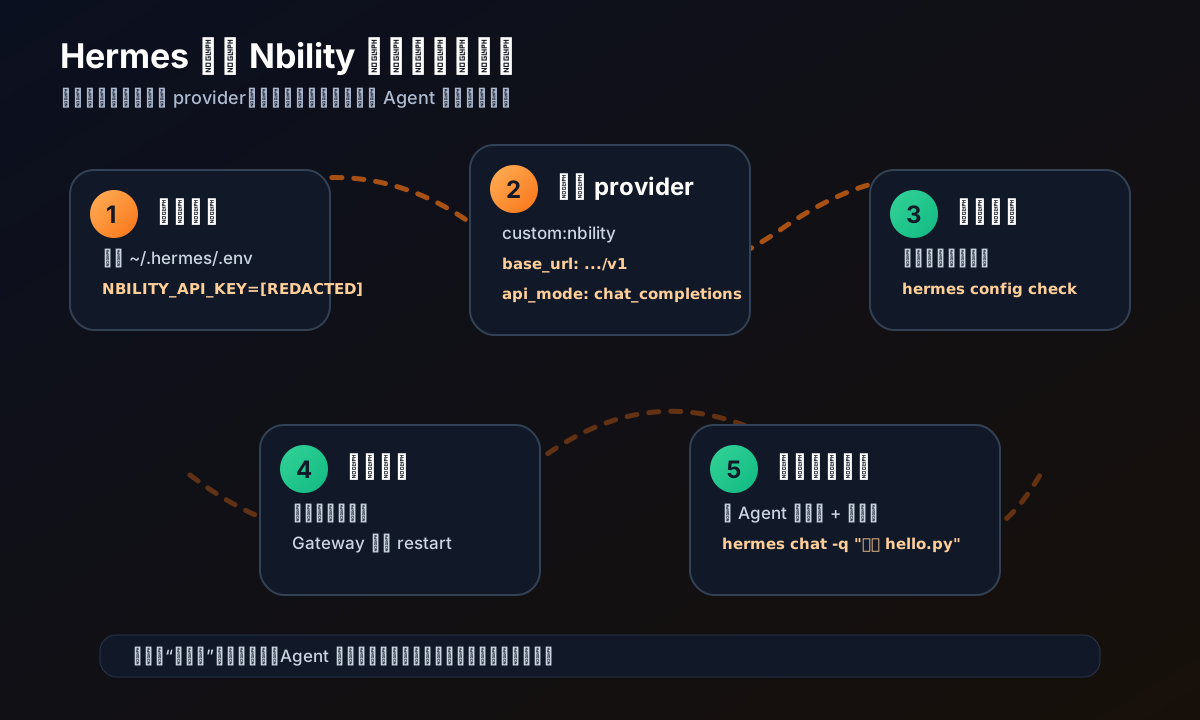
If you are using Hermes through a Telegram, Discord, or Weixin gateway, restart the gateway after changing .env or config.yaml:
hermes gateway restart
If you only use Hermes in the command line, opening a new terminal session is usually enough.
Step 5: Verify the Agent with a Small Task
Do not ask the Agent to modify a large project immediately. For the first verification, use a small task:
mkdir -p /tmp/hermes-api-test
cd /tmp/hermes-api-test
hermes chat -q "创建一个 hello.py,打印 hello nbility,然后运行它验证输出"
A normal Agent execution should look roughly like this:
- understand the task
- write
hello.py - call the terminal to run Python
- read the output
- return the verification result
If this works, at least three things are connected:
- Hermes can reach the model API
- the model can plan tool calls
- the local terminal tool can be used by the Agent
This is more reliable than only asking “who are you”. The value of an Agent is not small talk; it is task execution.
Common Troubleshooting
1. 401 Unauthorized
Usually the API Key is wrong, or the environment variable was not loaded.
Check:
grep '^NBILITY_API_KEY=' ~/.hermes/.env | sed 's/=.*/=[REDACTED]/'
Then restart the Hermes session or gateway.
2. 404 Not Found
The common cause is an incorrect Base URL.
Confirm that it is:
https://api.nbility.dev/v1
Do not omit /v1, and do not append another /chat/completions. Hermes will build the concrete endpoint path itself.
3. Model not found
The model name is unavailable, or your account does not have permission to use it.
Switch to a model name that your dashboard clearly marks as available, then test again:
model:
  default: 你的可用模型名
4. The Agent Replies Normally But Does Not Use Tools
This may not be an API issue. It may be a tool-permission or runtime-environment issue.
Check tools:
hermes tools list
For command-line development workflows, terminal, file, and web tools are usually the minimum useful set.
5. It Gets Slower and More Expensive After Several Turns
This is typical for Agent-style apps and is not necessarily an error.
Common causes:
- context keeps growing
- tool output is too large
- the Agent reads many files or logs
- the model performs multi-step planning and verification
Ways to reduce cost:
- give the task a clearer scope
- ask the Agent to list a plan before executing
- only show key snippets from large logs
- use cheaper models for simple tasks
- switch to stronger models only for complex tasks
This is why I suggest using Nbility as a unified entry: different models can be selected by task type without reconfiguring a key and Base URL for every app.
Recommended Model Strategy
If you are new to AI Agents, split model use by task level:
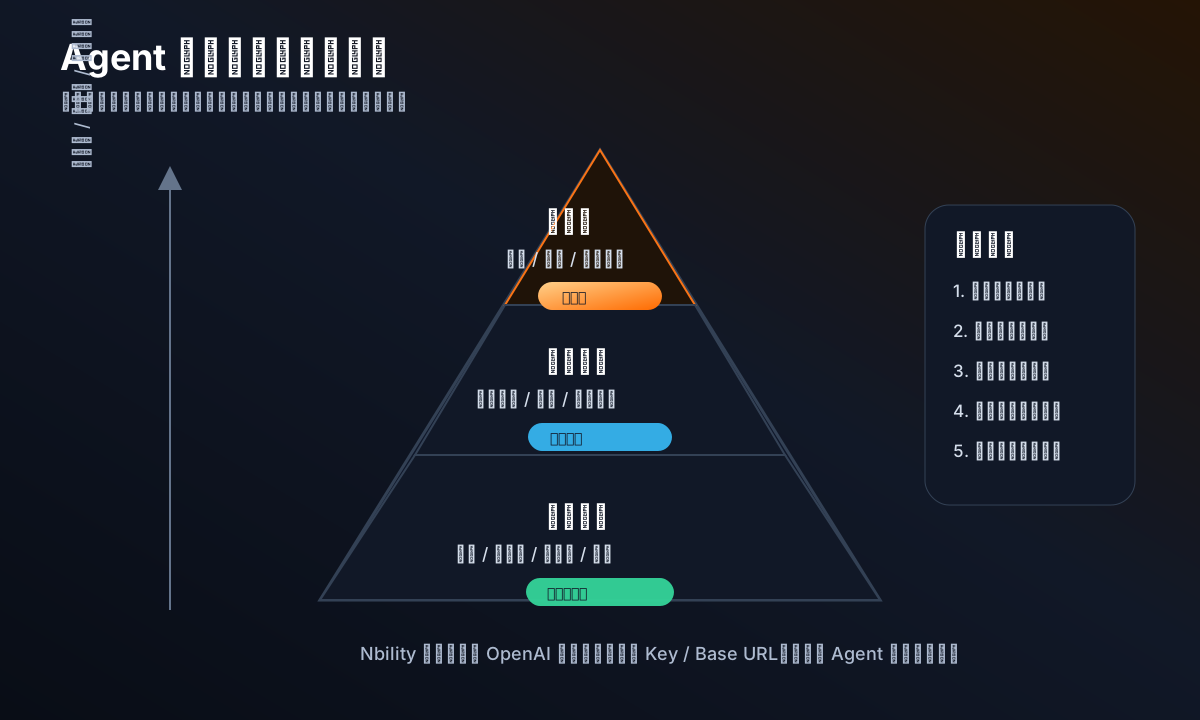
Lightweight Tasks
Suitable for:
- copy edits
- log summaries
- simple scripts
- small Q&A
Use a fast, low-cost model.
Medium Tasks
Suitable for:
- writing tutorials
- analyzing project structure
- changing small features
- debugging from error output
Use a more stable general-purpose model.
Heavy Tasks
Suitable for:
- large refactors
- multi-file bug fixes
- complex architecture design
- long-context code understanding
Use a stronger model, and ask the Agent to produce a plan first to avoid large trial-and-error loops.
A Realistic View: Agents Spend Tokens, But Save Human Time
I do not like advertising AI Agents as “unlimited free productivity”. Users will be disappointed the first time they see a real bill.
A more honest statement is:
Agents consume more tokens because they are not just answering questions. They read files, run commands, inspect results, and revise plans. The tokens you spend buy fewer context switches, less copy-paste, and less manual debugging.
So when introducing a token site, it is better to anchor it in real scenarios:
- deploy a long-running Agent on a server
- connect a useful assistant to Telegram / QQ / Weixin
- use an Agent to maintain a small project
- use an Agent to generate articles, images, and summaries
- use an Agent for scheduled jobs and monitoring
These scenarios naturally need stable API tokens. There is no need to invent fake demand just to sell tokens.
Summary
In this article, we connected Hermes Agent to a model API:
- found the Hermes config directory
- put the API Key into
.env - configured Nbility through
custom_providers - checked the config with
hermes config check - verified the Agent with a small real task
- explained why Agents consume more tokens than ordinary chat
If you already have Hermes Agent, you can follow this article and replace the model entry with your own OpenAI-compatible service.
If you do not yet have a stable token source, try:
My suggestion: start with a small top-up and run a lightweight task. Once your Agent workflow feels right, decide whether to use it long term.
Next Article
Next I plan to write:
“Connect Hermes Agent to Telegram: Control Your Server from Your Phone”
This scenario feels more like a real productivity tool: when you are away from your desk, one message to a bot can ask it to inspect a server, edit files, run scripts, or generate a daily report.
Image Prompts
Cover Prompt
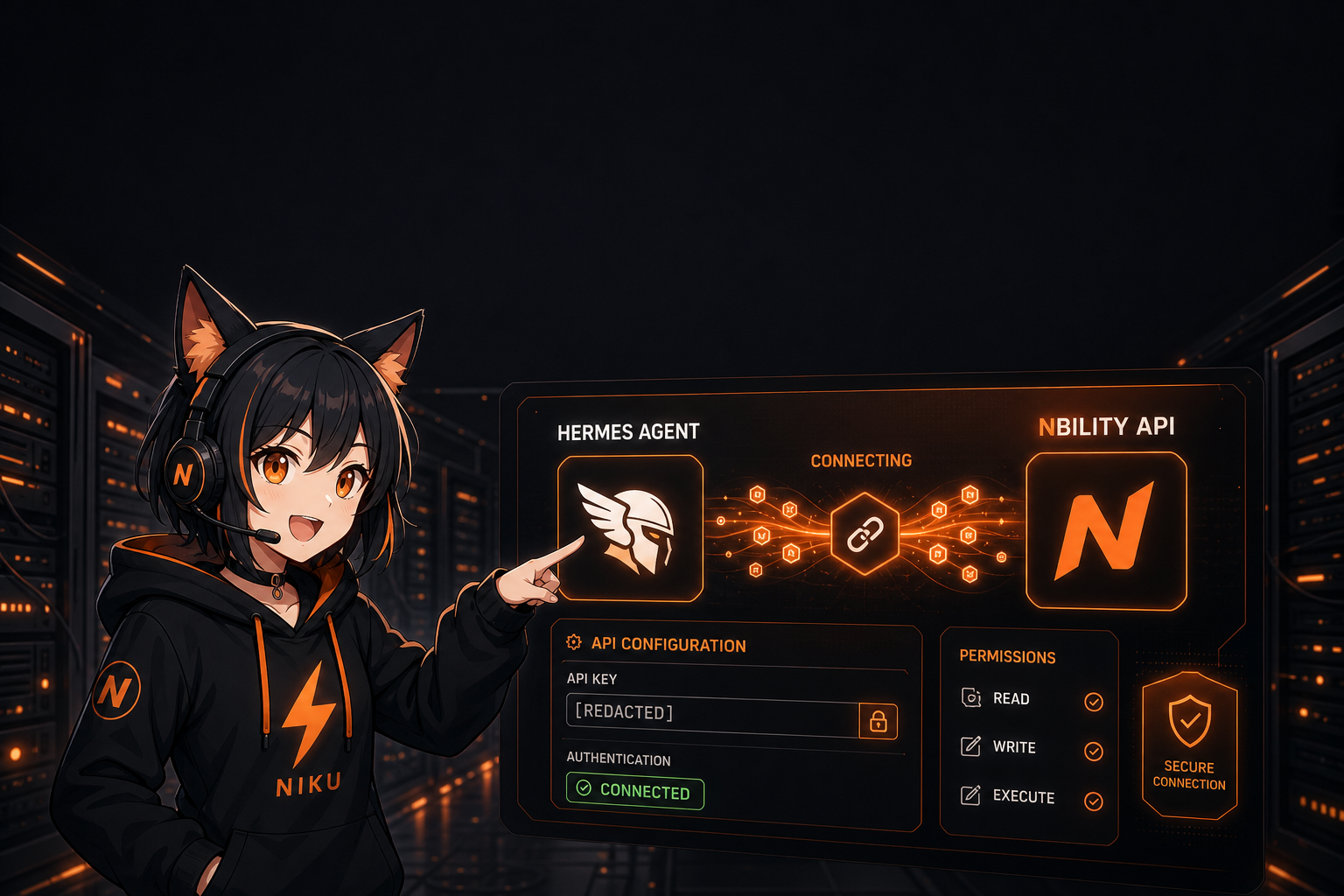
A polished tech blog cover illustration for an article about connecting Hermes Agent to an OpenAI-compatible API provider. Include niku, Nbility mascot: cute anime catgirl with long fluffy black hair with warm brown highlights, black cat ears with pink inner ears and white fur, fluffy black cat tail with orange bow, oversized black hoodie with orange drawstrings and orange lightning logo, black choker with golden bell. Use the support version: wearing black over-ear headset with orange paw-print icon, microphone near mouth, one hand pointing at a floating API configuration panel. Scene: dark server room, glowing terminal, API key field masked as [REDACTED], Base URL field showing https://api.nbility.dev/v1, model selector, token stream particles, Hermes Agent logo-like abstract wing icon. Black and orange brand palette, clean composition, leave empty space at top for Chinese title text, no real secrets, no messy small text, high quality anime tech illustration, 16:9 landscape.
Body Image Prompt
A clean anime-tech illustration showing an AI Agent workflow: user sends task, Hermes Agent plans, calls tools, reads files, sends requests to OpenAI-compatible API, receives model response, writes result back. Include a small cute black catgirl mascot niku as a guide character, black hoodie with orange lightning logo, headset, pointing at the flow. Dark UI, orange highlights, no real API keys, no readable tiny text except [REDACTED], high-quality blog illustration.