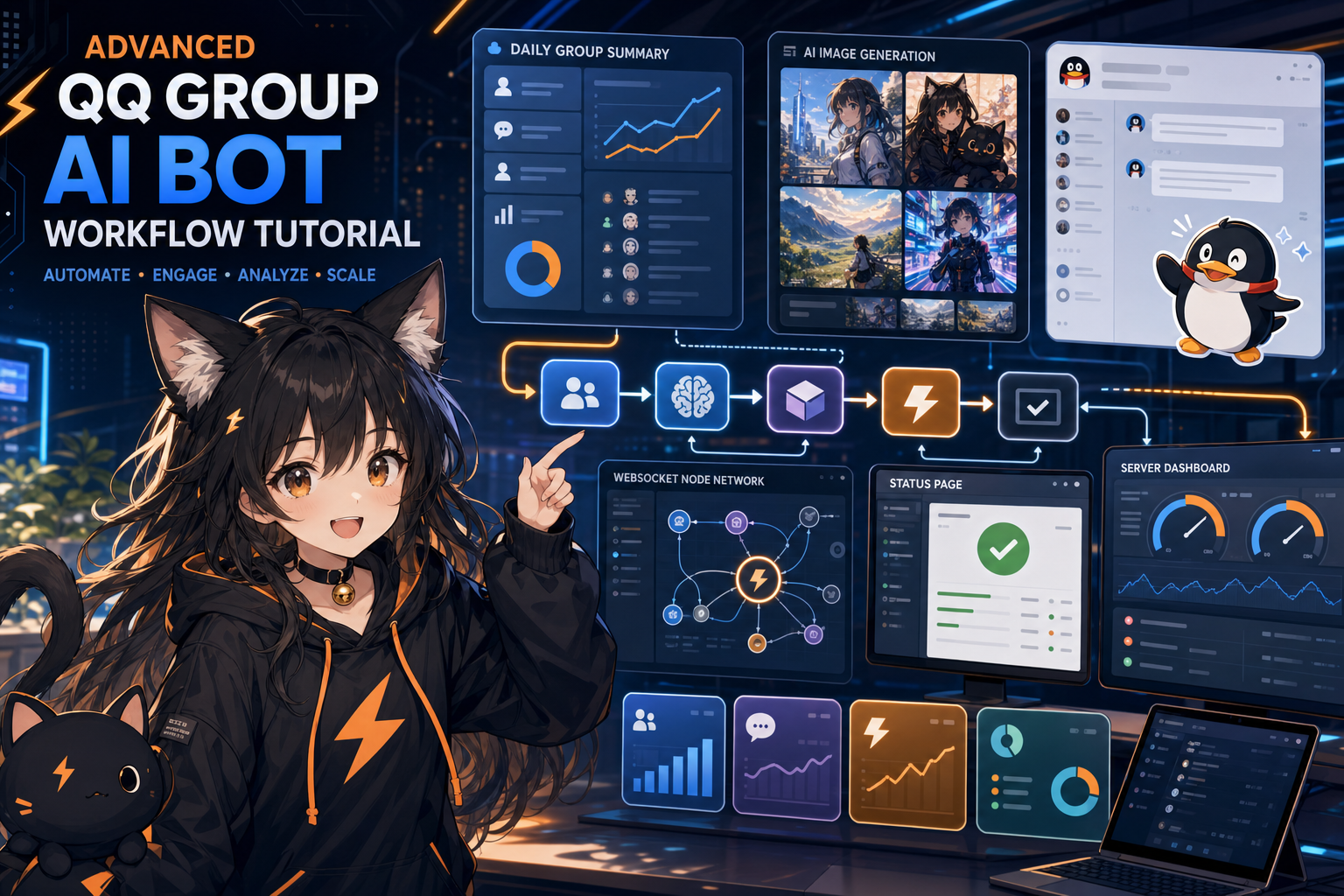
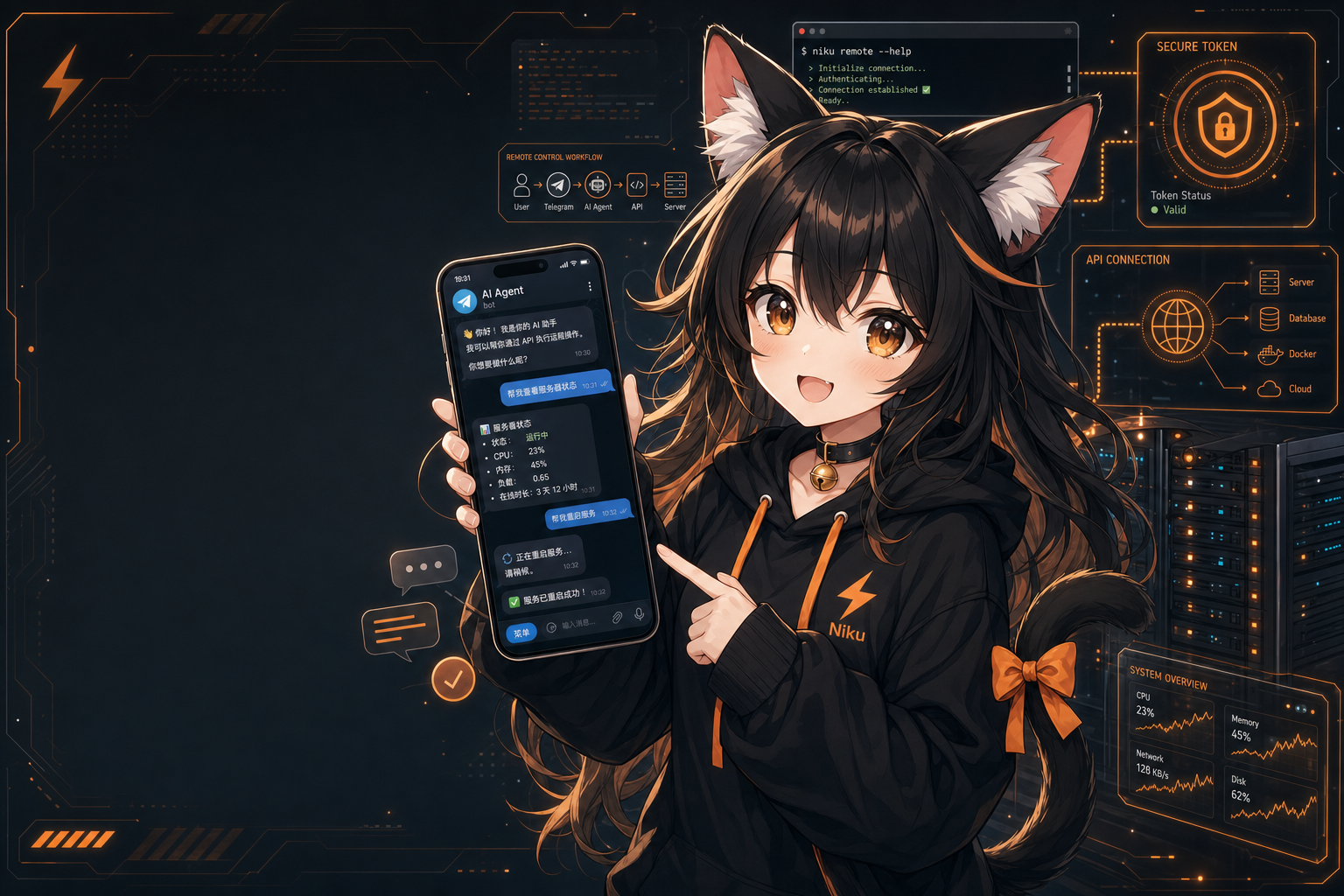
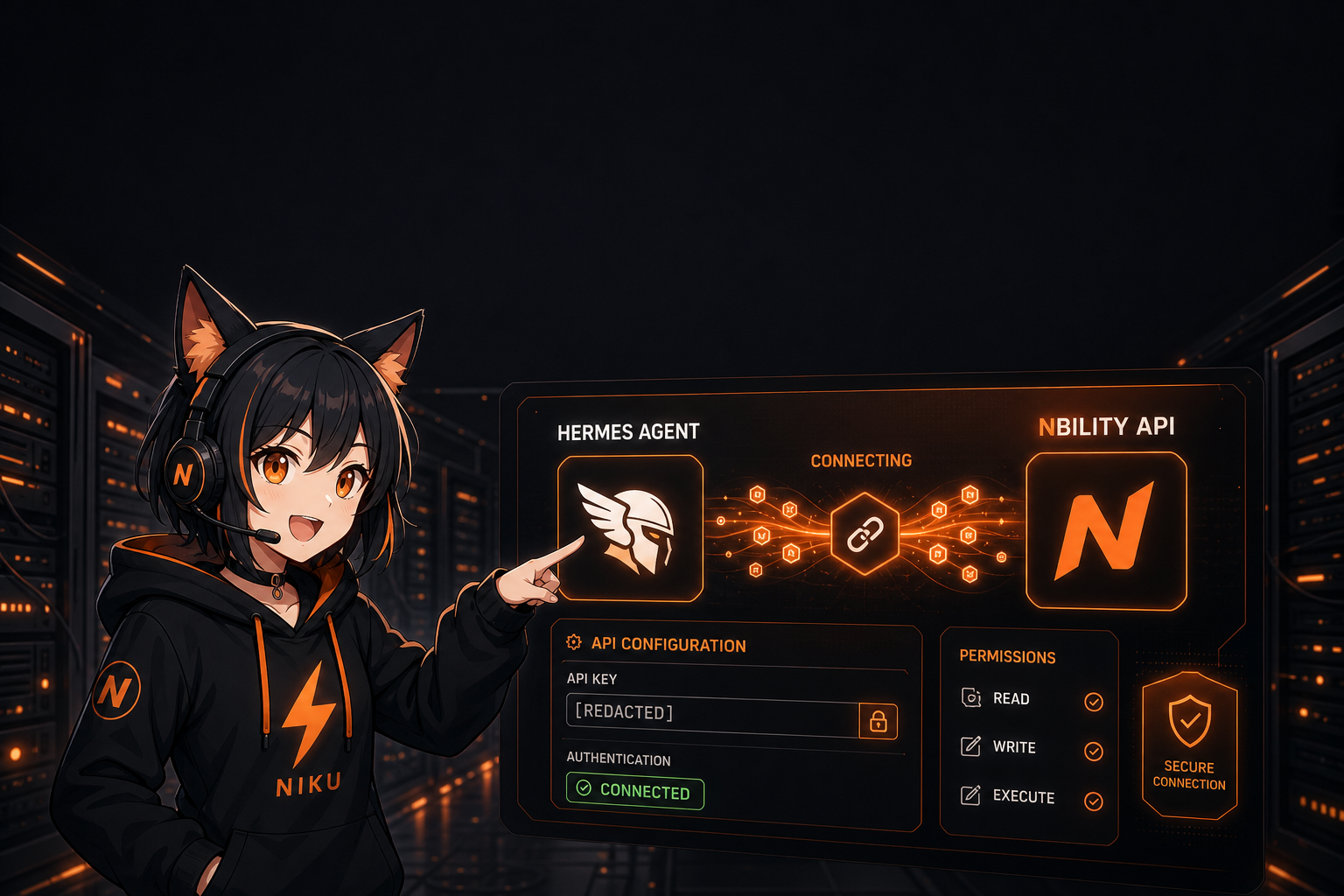
Connect Hermes Agent to QQ Groups: Use NapCat and NoneBot2 to Put an AI Agent into Group Chat
Part 4 of the AI Agent Getting Started series: use NapCat for OneBot v11, bridge QQ group messages with NoneBot2, and forward them to Hermes Agent API Server for Q&A, image generation, status checks, and group summaries.
Many people first experience an AI Agent from the terminal: open Hermes Agent on a server, ask it to read files, run commands, search the web, or generate images.
But if you want an Agent to become a daily tool, the next step is usually not “more terminal commands.” It is putting the Agent into the chat app you already use every day.
The previous article covered Telegram. This one focuses on QQ groups: use NapCat to connect QQ, use OneBot v11 to deliver events, use NoneBot2 as the bridge layer, then forward group messages to Hermes Agent’s API Server.
The result is a practical group assistant:
- group members can
@botto ask questions; - image prompts can call the Agent’s image generation tool and return a single image;
- admins can ask for API status or service status;
- daily jobs can summarize group discussions;
- model API and token consumption can be centralized through Nbility.
This is not an official QQ Bot Platform tutorial. It is an engineering approach using NapCat / OneBot v11 / NoneBot2 / Hermes API Server. Automating a normal QQ account may trigger platform risk controls. Use a dedicated account, group allowlists, mention-based triggers, and low-frequency behavior. Do not spam or mass-message.
Architecture Overview
A clean QQ-to-Hermes setup should be split into four layers:
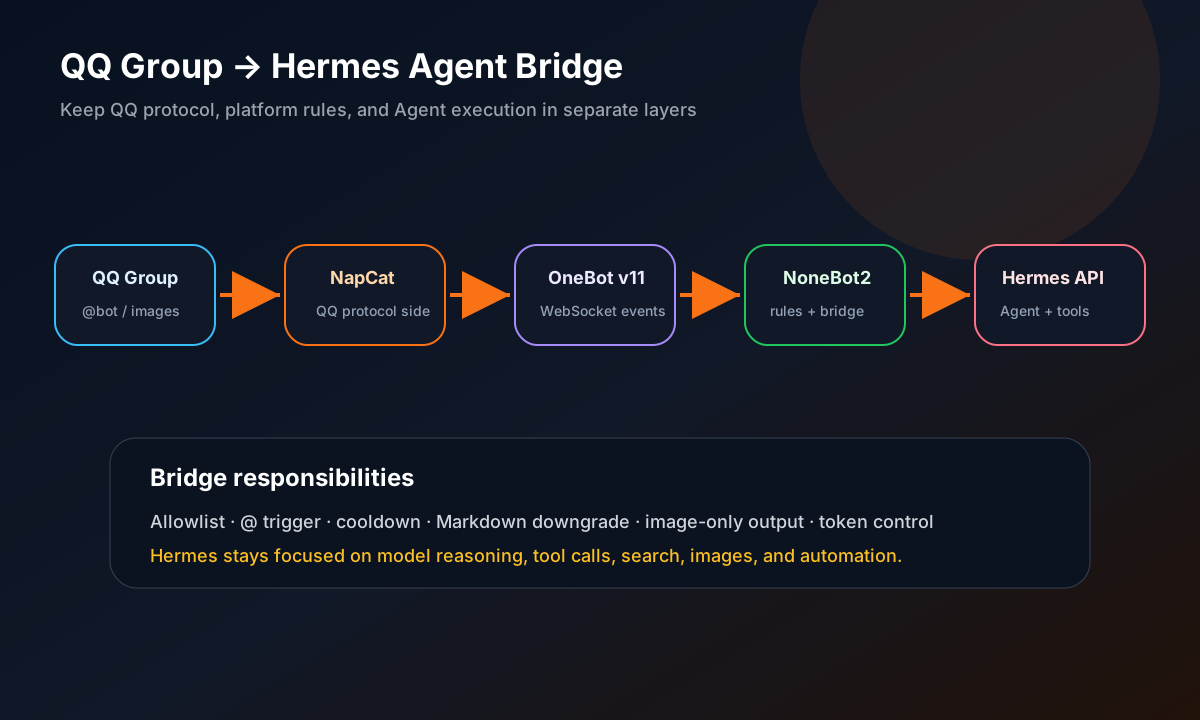
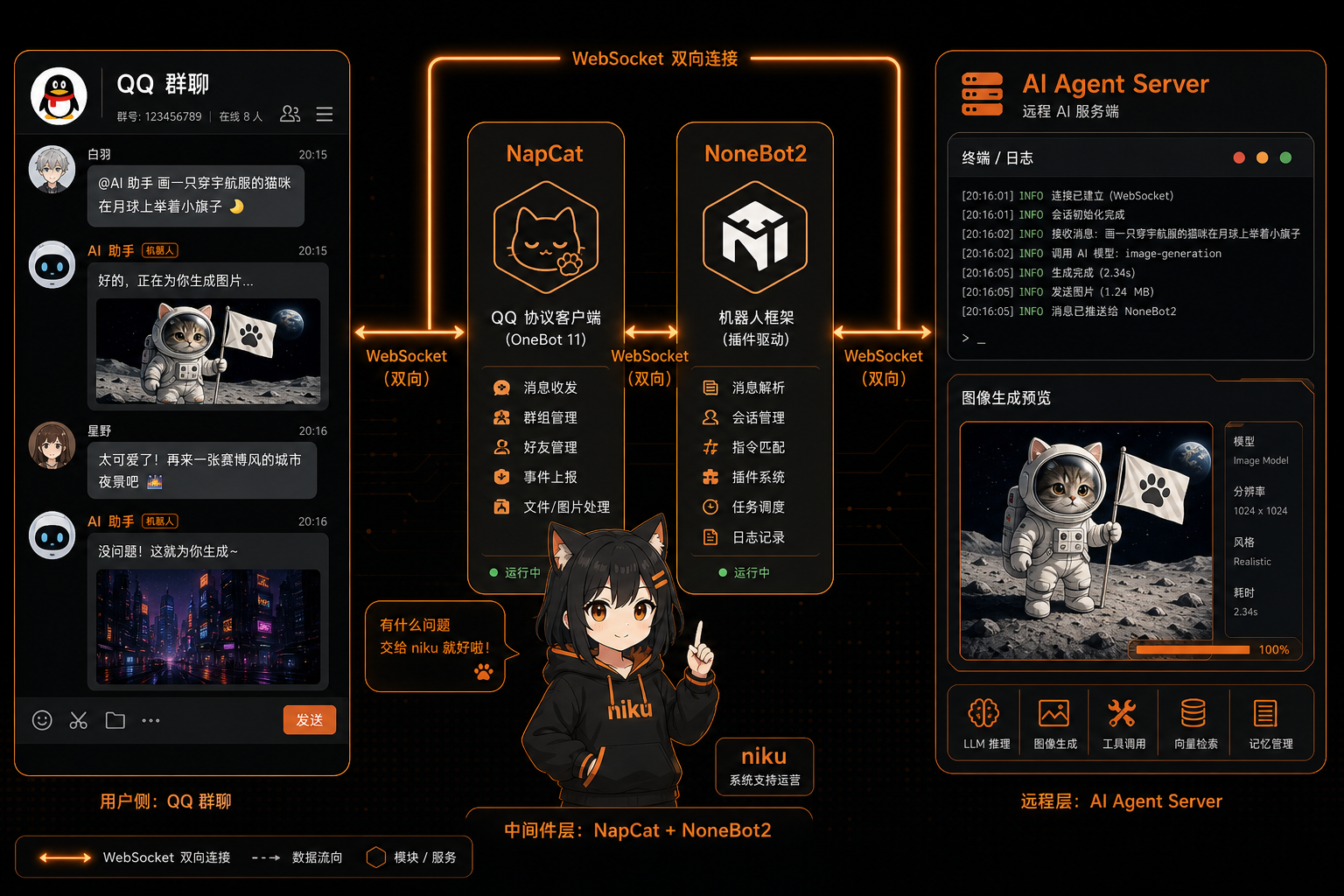
QQ group
  -> NapCatQQ protocol side
  -> OneBot v11 WebSocket
  -> NoneBot2 bridge plugin
  -> Hermes API Server /v1/chat/completions
  -> OneBot send_group_msg back to QQ
Why not make Hermes directly speak ordinary QQ groups?
Because QQ protocol-side integration is better isolated in an external bridge:
- QQ protocol behavior changes frequently;
- group chats need allowlists, cooldowns, mention triggers, and anti-spam logic;
- QQ does not render normal Markdown cleanly;
- image-generation output often needs platform-specific presentation rules;
- debugging is easier when QQ, OneBot, NoneBot, and Hermes API are separate layers.
The guiding principle is simple: Hermes provides Agent capabilities; the QQ bridge handles platform adaptation.
Prerequisites
You need a Linux server and:
- Docker for NapCat;
- Python 3.10+ for NoneBot2;
- a working Hermes Agent deployment;
- Hermes Gateway/API Server enabled;
- a dedicated QQ account for the bot;
- a model API key, such as an OpenAI-compatible key from
https://nbility.dev; - a QQ group allowlist.
If Hermes is not deployed yet, start with the earlier articles in this series:
- Part 1: deploy Hermes Agent on a server;
- Part 2: connect Hermes Agent to Nbility API.
Step 1: Start Hermes API Server
The QQ bridge does not need to import Hermes internals. The simplest path is to call Hermes through its OpenAI-compatible API.
Start Gateway mode:
hermes gateway setup
hermes gateway run
If Gateway is already installed as a service:
hermes gateway status
hermes gateway restart
Check the API Server:
curl -i http://127.0.0.1:8642/health
To reduce context cost for QQ group calls, control the API Server toolsets. For example, if the group assistant needs image generation, web search, vision, and messaging:
platform_toolsets:
  api_server:
    - image_gen
    - web
    - vision
    - messaging
If the QQ bot is only an image-generation bot, reduce further:
platform_toolsets:
  api_server:
    - image_gen
Restart after changing config:
hermes gateway restart
This is where Nbility naturally fits. Hermes Agent calls models, image tools, and search workflows; all of that consumes tokens. If you configure the model provider once in Hermes, the QQ bridge only forwards user messages and does not need to duplicate API setup.
Step 2: Start NapCat
NapCat converts QQ messages into OneBot v11 events.
A common Docker setup looks like this:
mkdir -p /opt/napcat/config /opt/napcat/qq /opt/napcat/plugins

docker run -d \
  --name napcat \
  --restart unless-stopped \
  -p 6099:6099 \
  -p 3001:3001 \
  -v /opt/napcat/config:/app/napcat/config \
  -v /opt/napcat/qq:/app/.config/QQ \
  -v /opt/napcat/plugins:/app/napcat/plugins \
  mlikiowa/napcat-docker:latest
Open the WebUI:
http://YOUR_SERVER_IP:6099/webui
After logging in with the bot QQ account, configure a OneBot v11 WebSocket Client that connects to the NoneBot2 endpoint:
{
  "network": {
    "websocketClients": [
      {
        "enable": true,
        "name": "hermes-bridge",
        "url": "ws://YOUR_SERVER_IP:8080/onebot/v11/ws",
        "reportSelfMessage": true,
        "messagePostFormat": "array",
        "token": "",
        "debug": true,
        "heartInterval": 30000,
        "reconnectInterval": 30000
      }
    ]
  }
}
Keep token empty unless the receiving OneBot/NoneBot side is configured with the same access token. The NapCat WebUI token is not the same as the OneBot access token.
Step 3: Create the NoneBot2 Bridge Project
Create the project:
mkdir -p /opt/qq-bot/plugins /opt/qq-bot/prompts /opt/qq-bot/state
cd /opt/qq-bot
python3 -m venv .venv
source .venv/bin/activate
pip install nonebot2 nonebot-adapter-onebot httpx uvicorn
Create /opt/qq-bot/bot.py:
import nonebot
from nonebot.adapters.onebot.v11 import Adapter as ONEBOT_V11Adapter

nonebot.init(host="0.0.0.0", port=8080)
driver = nonebot.get_driver()
driver.register_adapter(ONEBOT_V11Adapter)
nonebot.load_plugins("plugins")

if __name__ == "__main__":
    nonebot.run()
Create /etc/qq-bot-hermes.env:
HERMES_API_URL=http://127.0.0.1:8642/v1/chat/completions
HERMES_API_KEY=
HERMES_QQ_ALLOWED_GROUPS=123456789
HERMES_QQ_ADMIN_QQ=YOUR_QQ_ID
HERMES_QQ_BOT_QQ=BOT_QQ_ID
HERMES_QQ_GROUP_SESSION=false
HERMES_QQ_SYSTEM_PROMPT_PATH=/opt/qq-bot/prompts/niku.txt
HERMES_QQ_IMAGE_URL_AS_IMAGE=true
HERMES_QQ_IMAGE_ONLY_ON_IMAGE_PROMPT=true
HERMES_QQ_GROUP_SESSION=false is an important default. It prevents the bridge from using full Hermes session history for ordinary QQ group messages. Without this, group history can grow quickly and every request may become expensive.
Step 4: Write the Bridge Plugin
The simplified plugin below demonstrates the core behavior:
- only respond in allowlisted groups;
- require
@botby default; - ignore the bot’s own messages;
- call Hermes API Server;
- downgrade Markdown to plain QQ-friendly text;
- for image prompts, send only the first image.
/opt/qq-bot/plugins/hermes_bridge.py:
import os
import re
import httpx
from nonebot import on_message
from nonebot.adapters.onebot.v11 import Bot, GroupMessageEvent, Message, MessageSegment

HERMES_API_URL = os.getenv("HERMES_API_URL", "http://127.0.0.1:8642/v1/chat/completions")
HERMES_API_KEY = os.getenv("HERMES_API_KEY", "")
ALLOWED_GROUPS = {g.strip() for g in os.getenv("HERMES_QQ_ALLOWED_GROUPS", "").split(",") if g.strip()}
BOT_QQ = os.getenv("HERMES_QQ_BOT_QQ", "")
GROUP_SESSION = os.getenv("HERMES_QQ_GROUP_SESSION", "false").lower() in {"1", "true", "yes", "on"}
IMAGE_ONLY_ON_IMAGE_PROMPT = os.getenv("HERMES_QQ_IMAGE_ONLY_ON_IMAGE_PROMPT", "true").lower() in {"1", "true", "yes", "on"}

IMAGE_PROMPT_RE = re.compile(r"(画图|画个|画一张|帮我画|给我画|绘图|生图|生成图|生成图片|出图|做图|作图|image\s*gen|generate\s+image)", re.I)
IMAGE_URL_RE = re.compile(r"https?://\S+?\.(?:png|jpg|jpeg|webp)(?:\?\S+)?", re.I)

matcher = on_message(priority=1, block=False)


def extract_prompt(message: Message, self_id: str) -> str | None:
    mentioned = False
    parts = []
    for seg in message:
        if seg.type == "at" and str(seg.data.get("qq")) == str(self_id):
            mentioned = True
            continue
        if seg.type == "text":
            parts.append(str(seg.data.get("text", "")))
    text = "".join(parts)
    raw = str(message)
    if not mentioned and f"[at:qq={self_id}]" in raw:
        mentioned = True
        text = raw.replace(f"[at:qq={self_id}]", " ")
    return " ".join(text.split()) if mentioned else None


def plain_qq_text(text: str) -> str:
    text = re.sub(r"```[\s\S]*?```", "[code block omitted]", text)
    text = re.sub(r"\*\*(.*?)\*\*", r"\1", text)
    text = re.sub(r"`([^`]+)`", r"\1", text)
    return text.strip()


def is_image_prompt(prompt: str) -> bool:
    return bool(IMAGE_PROMPT_RE.search(prompt or ""))


def first_image_url(text: str) -> str | None:
    match = IMAGE_URL_RE.search(text or "")
    return match.group(0) if match else None


async def ask_hermes(prompt: str, group_id: str) -> str:
    headers = {}
    if HERMES_API_KEY:
        headers["Authorization"] = f"Bearer {HERMES_API_KEY}"
    if GROUP_SESSION:
        headers["X-Hermes-Session-Id"] = f"qq-group-{group_id}"

    payload = {
        "model": "default",
        "messages": [
            {"role": "system", "content": "You are replying in a QQ group. Be concise and practical. Use Chinese by default unless asked otherwise."},
            {"role": "user", "content": prompt},
        ],
        "stream": False,
    }
    async with httpx.AsyncClient(timeout=300) as client:
        r = await client.post(HERMES_API_URL, headers=headers, json=payload)
        r.raise_for_status()
        data = r.json()
    return data["choices"][0]["message"]["content"]


@matcher.handle()
async def handle(bot: Bot, event: GroupMessageEvent):
    group_id = str(event.group_id)
    if ALLOWED_GROUPS and group_id not in ALLOWED_GROUPS:
        return
    if BOT_QQ and str(event.user_id) == BOT_QQ:
        return

    prompt = extract_prompt(event.message, str(event.self_id))
    if not prompt:
        return

    answer = await ask_hermes(prompt, group_id)

    if IMAGE_ONLY_ON_IMAGE_PROMPT and is_image_prompt(prompt):
        url = first_image_url(answer)
        if url:
            await bot.send(event, MessageSegment.reply(event.message_id) + MessageSegment.image(url))
        return

    await bot.send(event, MessageSegment.reply(event.message_id) + plain_qq_text(answer)[:1800])
For production, add:
- per-group and per-user cooldowns;
- admin commands;
- long-message splitting;
- error fallbacks;
- last-image cache;
- status-page screenshots;
- daily group summaries.
Step 5: Run NoneBot2 with systemd
Create /etc/systemd/system/qq-bot.service:
[Unit]
Description=QQ Hermes Bridge Bot
After=network.target

[Service]
WorkingDirectory=/opt/qq-bot
ExecStart=/opt/qq-bot/.venv/bin/python /opt/qq-bot/bot.py
Restart=always
RestartSec=5
Environment=PYTHONUNBUFFERED=1
EnvironmentFile=/etc/qq-bot-hermes.env

[Install]
WantedBy=multi-user.target
Start it:
systemctl daemon-reload
systemctl enable --now qq-bot
systemctl status qq-bot --no-pager -l
Read logs:
journalctl -u qq-bot -n 80 --no-pager
Check ports:
ss -ltnp | grep -E ':(6099|8080|8642)\b'
Step 6: Test the Full Chain
Do not skip the order. QQ bot debugging is much easier when each segment is verified separately.
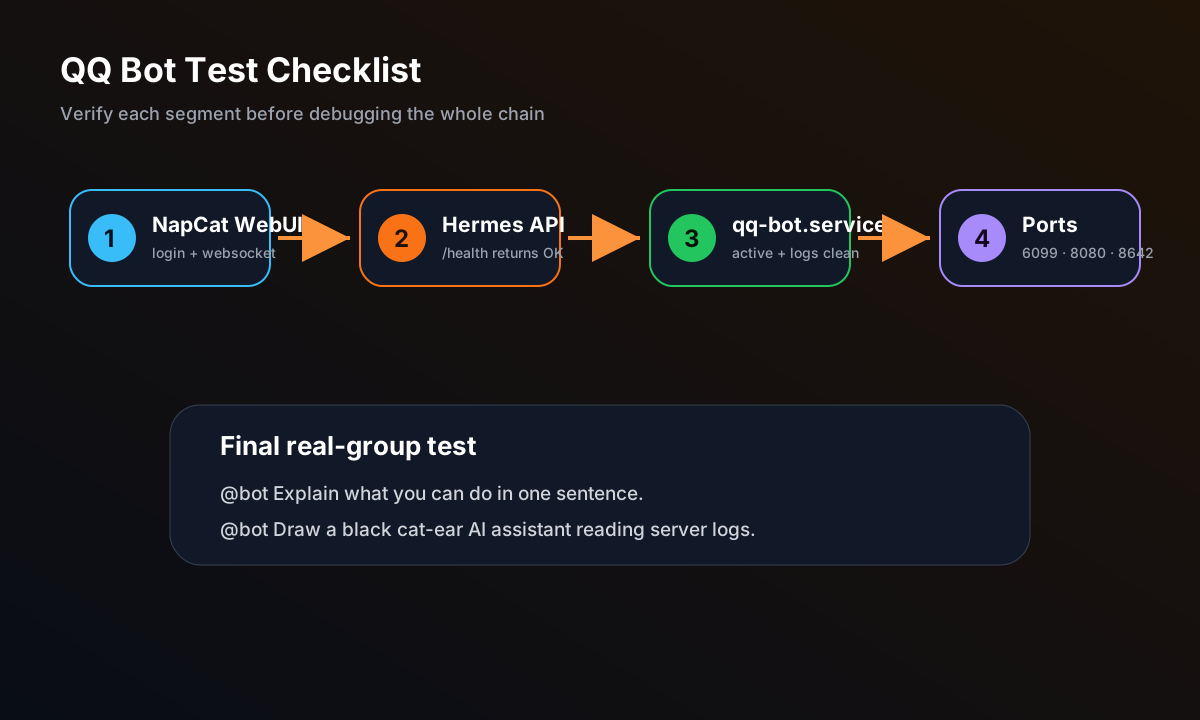
1. NapCat WebUI
curl -i http://YOUR_SERVER_IP:6099/webui
2. Hermes API Server
curl -i http://127.0.0.1:8642/health
3. NoneBot2 service
systemctl is-active qq-bot
journalctl -u qq-bot -n 50 --no-pager
4. Listening ports
ss -ltnp | grep -E ':(6099|8080|8642)\b'
5. Real group mention test
In an allowlisted group, send:
@bot Are you there? Explain what you can do in one sentence.
Then test image generation:
@bot Draw a black cat-ear AI assistant reading server logs in a data center.
If image generation is backed by Nbility, this kind of task will consume more tokens than a plain Q&A request, because the workflow may include prompt understanding, tool calling, image generation, result parsing, and message delivery. This is exactly why a stable rechargeable OpenAI-compatible token source is useful for real Agent applications.
Key Optimization: Do Not Let QQ Group History Eat Tokens Forever
QQ groups are noisy. If every message continues a long Hermes session, a tiny question can eventually become a huge prompt.
Recommended routing:
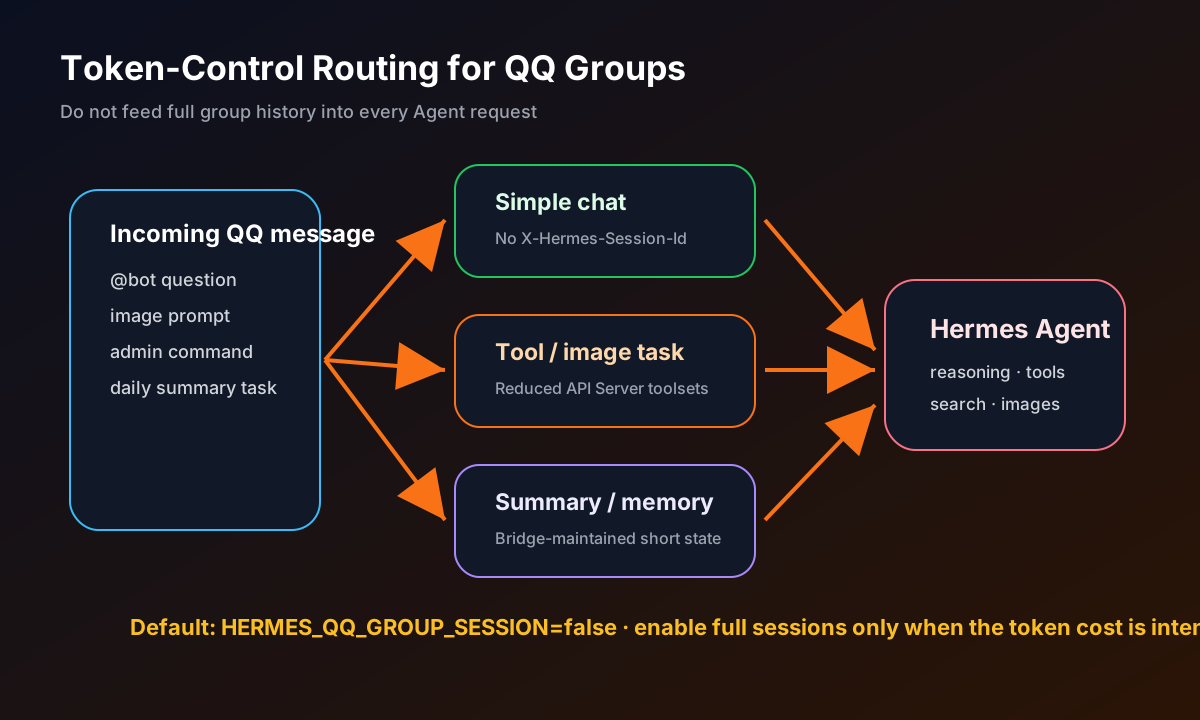
Normal chat / simple Q&A
  -> no X-Hermes-Session-Id
  -> current question + short system prompt only

Tool tasks
  -> send to Hermes Agent
  -> restrict API Server toolsets
  -> use short context only when needed

Group summaries / long-term memory
  -> maintained by the bridge layer
  -> do not inject full group history into every Agent request
In practice, HERMES_QQ_GROUP_SESSION=false should be the default. Only enable group sessions when you explicitly need continuity and accept the token cost.
Common Issues
1. The group mentions the bot, but nothing happens
Check logs:
journalctl -u qq-bot -n 100 --no-pager
If messages appear but the plugin does not trigger, it is probably an @ parsing issue. OneBot messages can contain structured at segments or string fallback forms such as:
[at:qq=BOT_QQ]
Handle both.
2. NapCat cannot connect to NoneBot2
Check that NoneBot2 listens on 0.0.0.0:8080:
ss -ltnp | grep ':8080'
Confirm the NapCat WebSocket Client URL:
ws://YOUR_SERVER_IP:8080/onebot/v11/ws
3. Even hello consumes many tokens
First disable group sessions:
HERMES_QQ_GROUP_SESSION=false
Then reduce API Server toolsets. Tool schemas themselves cost tokens, so do not expose all tools to a QQ group by default.
4. Image generation returns links but QQ sends too much text
Control presentation in the bridge layer:
- detect image intent from the original prompt;
- extract the first image URL;
- send only one OneBot image message;
- skip the normal text reply path.
5. QQ output looks messy because of Markdown
Do not send full Markdown to QQ. Downgrade:
**bold**to plain text;- code blocks to
[code block omitted]or split messages; - links to separate lines;
- image URLs to OneBot image messages.
Safety and Risk-Control Tips
No normal-account QQ automation is risk-free. Recommended safeguards:
- use a dedicated QQ account;
- only allowlist specific groups;
- require
@botor prefixes by default; - add per-group and per-user cooldowns;
- do not send unsolicited DMs or mass messages;
- gate admin commands by QQ ID;
- never print API keys, admin tokens, or cookies into group messages or logs;
- return short user-facing errors instead of full stack traces.
Why Nbility Is a Natural Fit Here
A QQ group Agent is not just a chatbot. It is a long-running tool entry point.
It may handle:
- group Q&A;
- web search;
- image generation;
- service status checks;
- daily summaries;
- admin automation.
All of these are model calls. You could configure different keys for every service, but that quickly becomes messy. A better approach is to use one OpenAI-compatible API entry point for Hermes models, tool calls, and image generation.
If you need a token/API platform designed for AI Agent usage, try:
https://nbility.dev
It fits the “continuous task execution” pattern better than a one-off chat demo: configure Base URL, API Key, and model name once, then let Telegram, QQ groups, and server jobs share the same token system.
Summary
In this article, we connected Hermes Agent to QQ groups:
- NapCat handles QQ protocol and OneBot events;
- NoneBot2 handles bridge logic and platform rules;
- Hermes API Server provides Agent capabilities;
- Nbility can serve as the unified OpenAI-compatible token/API entry point;
- the bridge layer should handle allowlists, mention triggers, cooldowns, Markdown downgrade, image-only output, and token control.
The next article can cover OpenClaw deployment: run another real Agent application, connect it to Nbility, and create another practical token-consuming tutorial.
Image Prompts
Cover:
A polished tech blog cover illustration. niku, Nbility mascot, cute anime catgirl with black cat ears, black hoodie with orange lightning logo, golden bell choker, standing in front of a QQ group chat interface, server rack, OneBot websocket lines, and a glowing Hermes Agent node. Black and orange brand palette, clean cyber UI, no readable real credentials, leave empty space for title.
Body illustration:
A clean anime-tech illustration showing a QQ group chat connected through NapCat and NoneBot2 to a remote AI Agent server. Include a small niku mascot as a support operator, black and orange colors, websocket lines, server terminal, image generation preview, no real keys or private data.