Image Generation Failed? Safety Policies, Prompts, and Retries
A practical troubleshooting workflow for AI image generation failures: safety policy, prompt design, API parameters, async jobs, retries, cost control, and human review.
When you put image generation into a real workflow, the painful part is not only “the image looks bad.” The request may fail entirely: a safety rule blocks it, a size is unsupported, an async task times out, or the same prompt works once and fails later.
This guide treats image failures as an engineering problem. Classify the failure, then adjust the prompt, parameters, retry policy, and review process. The same pattern works for content teams, chat bots, social-media pipelines, and marketing asset generators.
Classify the failure first
Do not rewrite the prompt blindly. Most failures belong to one of four groups:
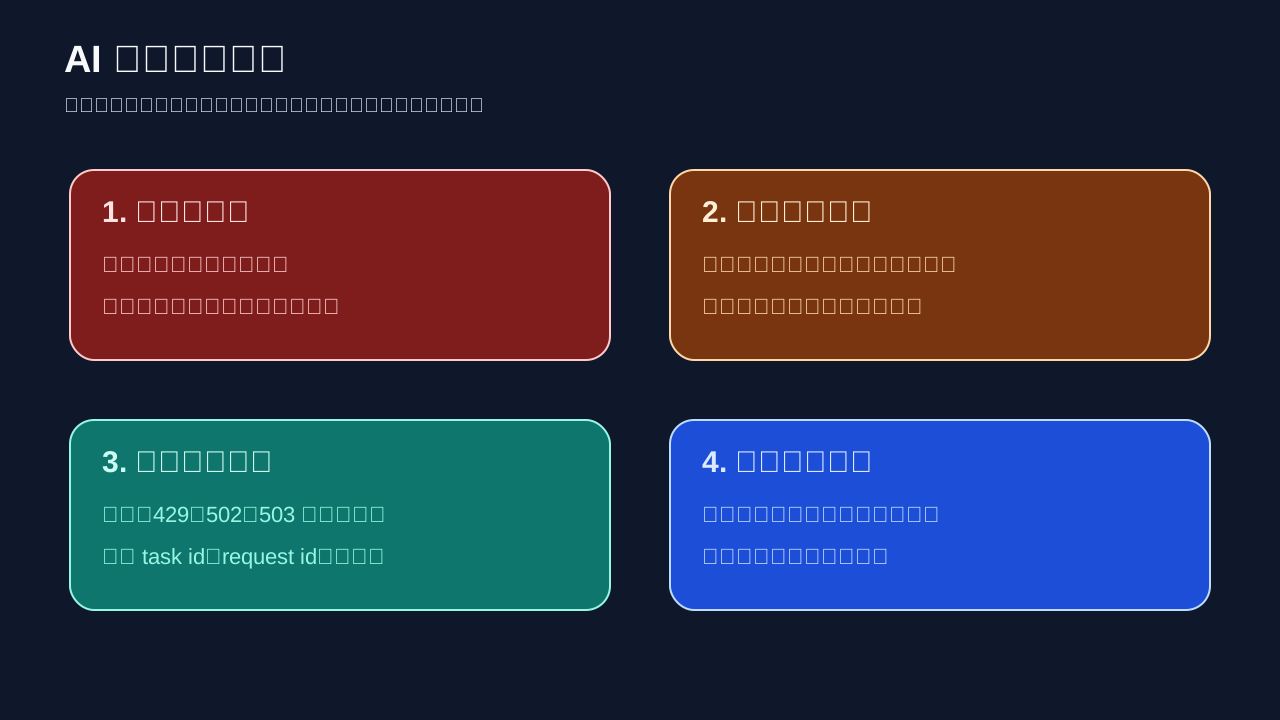
- Safety policy failures: the prompt, reference image, or intended output triggers a safety rule.
- Model and parameter failures: the model name, size, quality, number of images, or input format is unsupported.
- Network and service failures: timeout, async task still running, upstream congestion, rate limit, insufficient quota, or gateway error.
- Unusable output: the API succeeds, but the image has broken text, wrong composition, bad cropping, or off-brand visuals.
Each group needs a different response: change the intent, fix the configuration, retry safely, or review and regenerate.
Safety: change the intent, not just the wording
If a failure is safety-related, the safest fix is to make the request clearer, publishable, and lower-risk. Do not try to “spell around” blocked terms.
Instead of:
A panicked engineer fighting a dangerous AI system, red warning, chaos, explosion.
Use:
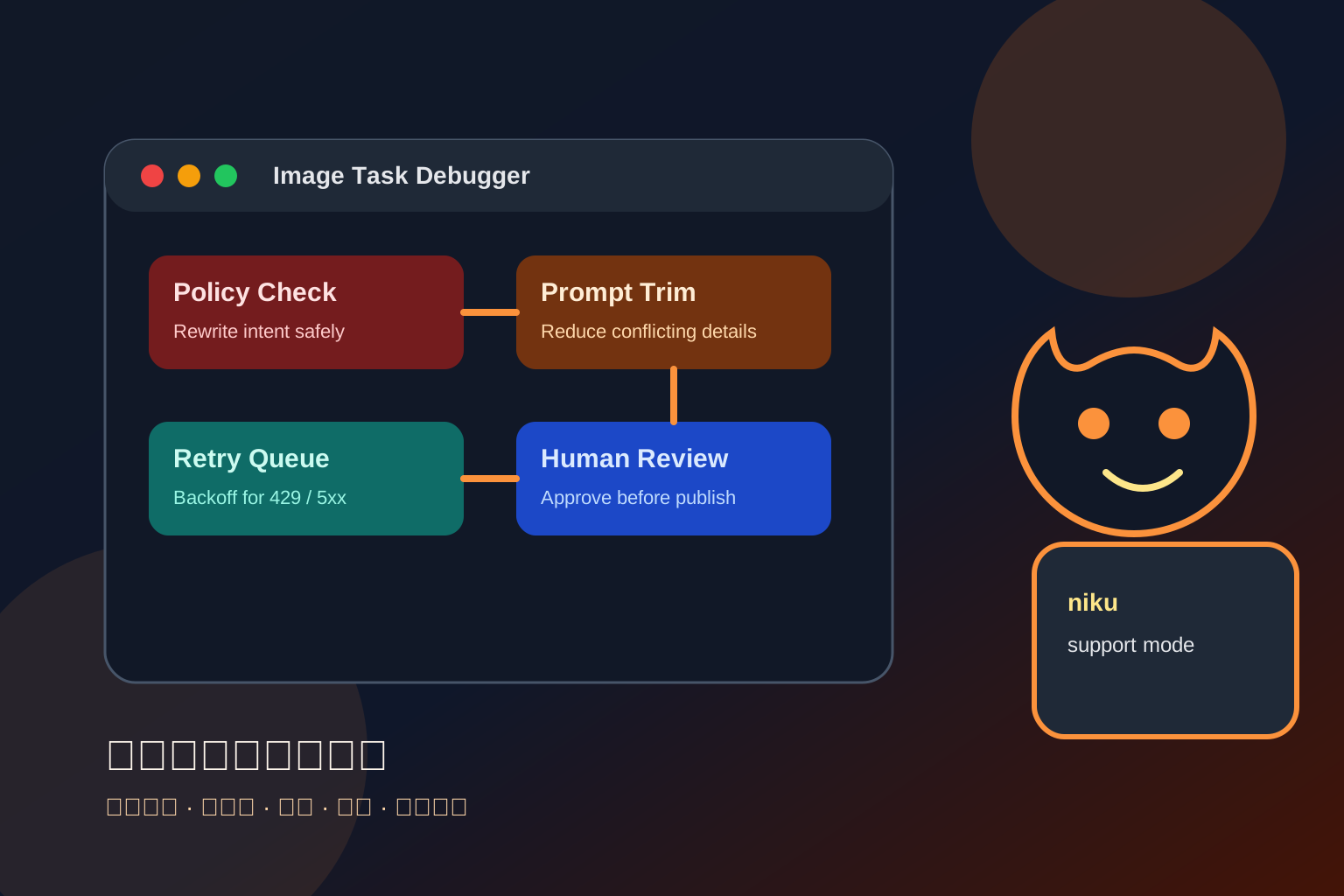
A friendly AI support mascot helping a developer debug an image generation dashboard.
Visible UI cards show: prompt check, policy review, retry queue, human approval.
Clean black and orange tech style, no real logos, no private data, no violent scene.
The second prompt turns the concept into support and troubleshooting, which is also closer to the real article.
Prompt debugging: reduce step by step
When generation fails or drifts, simplify in a controlled way:
- Keep one clear subject.
- State the use case: cover, social post, product illustration, or workflow diagram.
- Keep constraints explicit: no real logo, QR code, API key, private data, watermark, or tiny readable text.
- Remove risky details: real people, exact brands, sensitive scenes, or harmful imagery.
- Remove conflicting styles: do not ask for realistic photography, watercolor, 3D, and cyberpunk all at once.
A stable template:
Use case: tutorial cover for an AI image generation troubleshooting guide.
Subject: a friendly support mascot and a developer checking failed image tasks.
Scene: dashboard with four cards: policy, prompt, retry, review.
Style: clean modern illustration, black and orange palette, high contrast.
Composition: 16:9 cover, leave blank title-safe area, no tiny readable text.
Constraints: no real logos, no API keys, no private user data, no watermark.
If this still fails, reduce it to subject, scene, and constraints. Once the minimal version works, add details back one by one.
Parameter debugging: model, size, and quality
Image APIs usually constrain model, size, quality, image count, and input file format. Check:
- whether
modelexists and supports image generation; - whether
sizeis supported, such as1024x1024,1536x1024, or1024x1536; - whether
qualityis supported; start withmediumor the default; - for edits/reference images, whether the image format, size, and alpha channel are accepted;
- whether your SDK version matches the API response shape.
When using an OpenAI-compatible gateway like Nbility, keep the endpoint and model settings in .env:
NBILITY_API_KEY=[REDACTED]
NBILITY_BASE_URL=https://api.nbility.dev/v1
NBILITY_IMAGE_MODEL=gpt-image-2
NBILITY_IMAGE_QUALITY=medium
This lets you change models, quality, or project keys without editing application logic.
Retry policy: never retry forever
Image generation is slower and more expensive than text. Retries are useful, but only for the right failures.
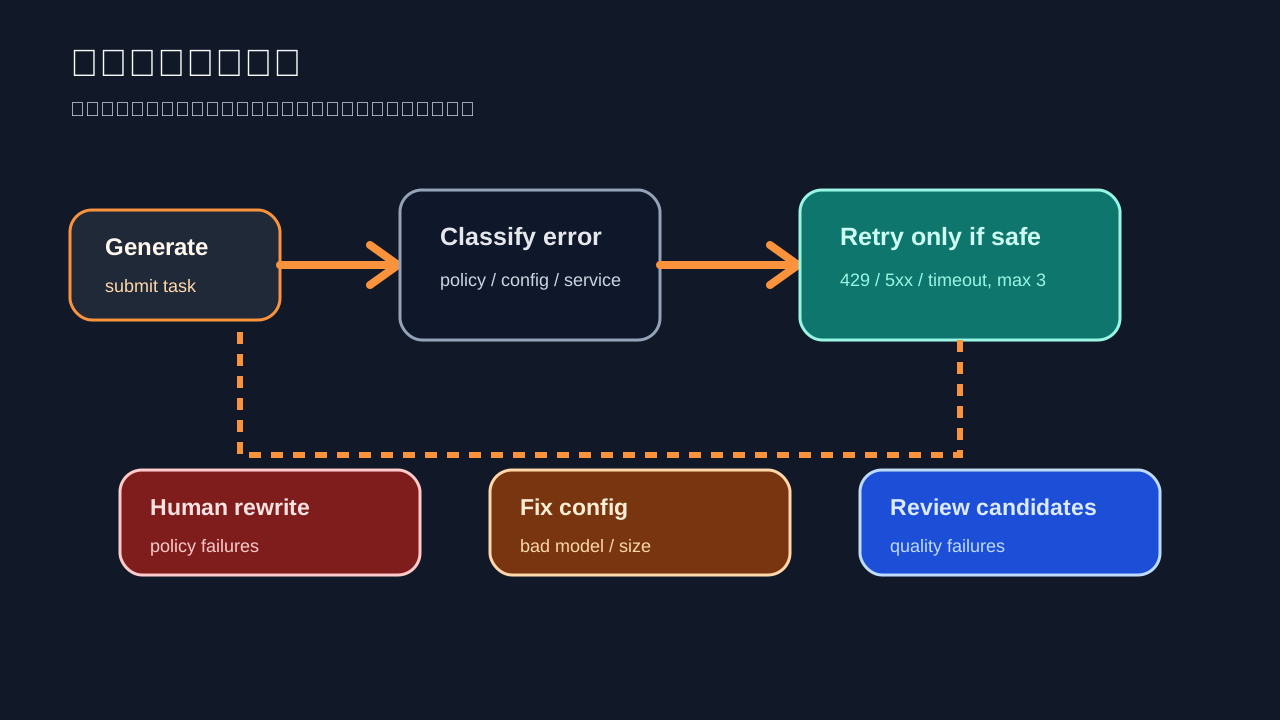
Recommended behavior:
- Parameter errors: do not retry; fail fast and fix configuration.
- Safety errors: do not bypass automatically; send to human rewrite.
- Timeout / 502 / 503 / 429: retry 2–3 times with exponential backoff.
- Unusable image quality: generate 2–4 candidates, then let a human choose.
- Batch jobs: log task id, prompt hash, and failure reason to avoid burning budget repeatedly.
Pseudo-code:
import time

RETRYABLE = {408, 429, 500, 502, 503, 504}

def should_retry(status_code, error_type):
    if error_type in {"policy_violation", "bad_request", "invalid_model"}:
        return False
    return status_code in RETRYABLE

def retry_delay(attempt):
    return min(60, 2 ** attempt)

for attempt in range(3):
    try:
        image = generate_image()
        break
    except ApiError as e:
        if not should_retry(e.status_code, e.type):
            raise
        time.sleep(retry_delay(attempt))
Batch production: sample before scaling
For marketing images, WeChat covers, or social media cards, batch generation can burn budget quickly. Use a staged pipeline:
- Generate 1–2 low-cost drafts per topic.
- Human-review style, ratio, and safe area.
- Regenerate the selected direction at higher quality.
- Store prompt, model, size, time, and cost tag with each image.
- Move failed outputs into a failure directory instead of overwriting them.
A unified OpenAI-compatible gateway such as Nbility helps teams track chat, image, and agent usage from one entry point instead of scattering keys across tools.
Pre-launch checklist
[ ] Logs include status code, error type, request id / task id
[ ] Prompts contain no real API keys, phone numbers, customer data, or internal screenshots
[ ] Safety failures go to human rewrite, not automatic bypass
[ ] 429/5xx errors use exponential backoff; parameter errors do not retry
[ ] Batch jobs have max image count and budget limits
[ ] Images are previewed by a human before publishing, especially text and cropping
[ ] Failed examples improve prompt templates and troubleshooting docs
FAQ
Why does the same prompt sometimes work and sometimes fail?
Image models and safety checks can vary with context, reference images, parameters, and service state. Log the prompt, model, size, reference image hash, and error details.
Can I automatically rewrite a safety failure and retry?
You can do conservative cleanup, such as removing private data, brand names, or overly intense wording. Do not build bypass-style rewriting. Sensitive people, impersonation, privacy, and harm-related cases should go to humans.
The image succeeded, but the Chinese text is wrong. What now?
Do not ask the image model to produce final text. Generate a clean background, then add text with Pillow, Canva, Figma, or your own template.
How do I know whether the problem is Nbility, the model, or my code?
Run a minimal prompt with default size and an official SDK-style example. Then verify the same API key and Base URL with a text model. If text works but image fails, the problem is usually model name, size, quality, or image endpoint parameters.
References
- OpenAI Image Generation guide: https://developers.openai.com/api/docs/guides/image-generation
- OpenAI Images and Vision guide: https://developers.openai.com/api/docs/guides/images-vision
- OpenAI Safety best practices: https://platform.openai.com/docs/guides/safety-best-practices
- Nbility API overview: https://nbility.dev/docs/api
- Nbility Chat Completions API: https://nbility.dev/docs/api/chat/completions