Automatically Generate Cover Images for WeChat Official Account Articles
A practical workflow for turning article titles and summaries into WeChat Official Account cover images: 900×383 headline covers, 383×383 sharing cards, and 1283×383 combined assets.
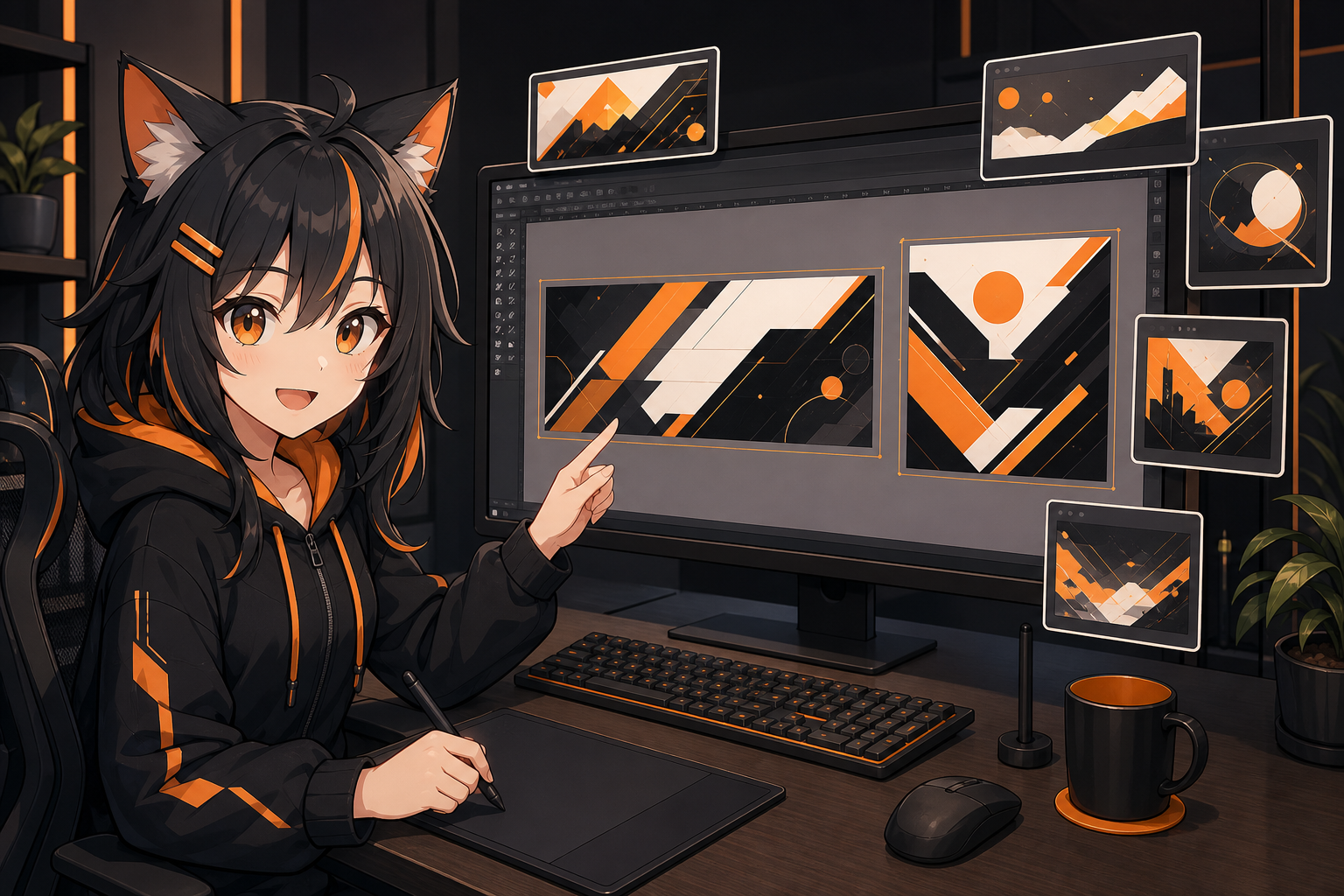
After a WeChat Official Account article is written, the cover image often becomes the bottleneck. The title is ready, but the visual direction is unclear. An AI-generated image may look good, yet the WeChat backend crops away the important part. The article list looks fine, but the sharing card in chat shows only an awkward corner.
This guide turns cover creation into an automation-friendly workflow: extract a visual brief from the article title and summary, generate a clean base image with an image API, then export assets for the WeChat headline cover, sharing card, and combined cover image.
First: WeChat covers are not just one image
A WeChat Open Community tutorial explains that Official Account articles involve at least two cover contexts:
- Headline cover:
2.35:1, recommended900×383 px, used in article pushes and recommendation displays. - Sharing cover:
1:1, recommended383×383 px, used on the account homepage and when users share the article to chats or Moments.
Another WeChat Open Community article on rich-media article editing says cover images are required, common image formats such as bmp, png, jpeg, jpg, and gif are supported, and cover images should be under 10MB. It also notes that large images may be compressed to a 640px-wide thumbnail. In practice, always verify the current backend crop UI and preview the final article on mobile.
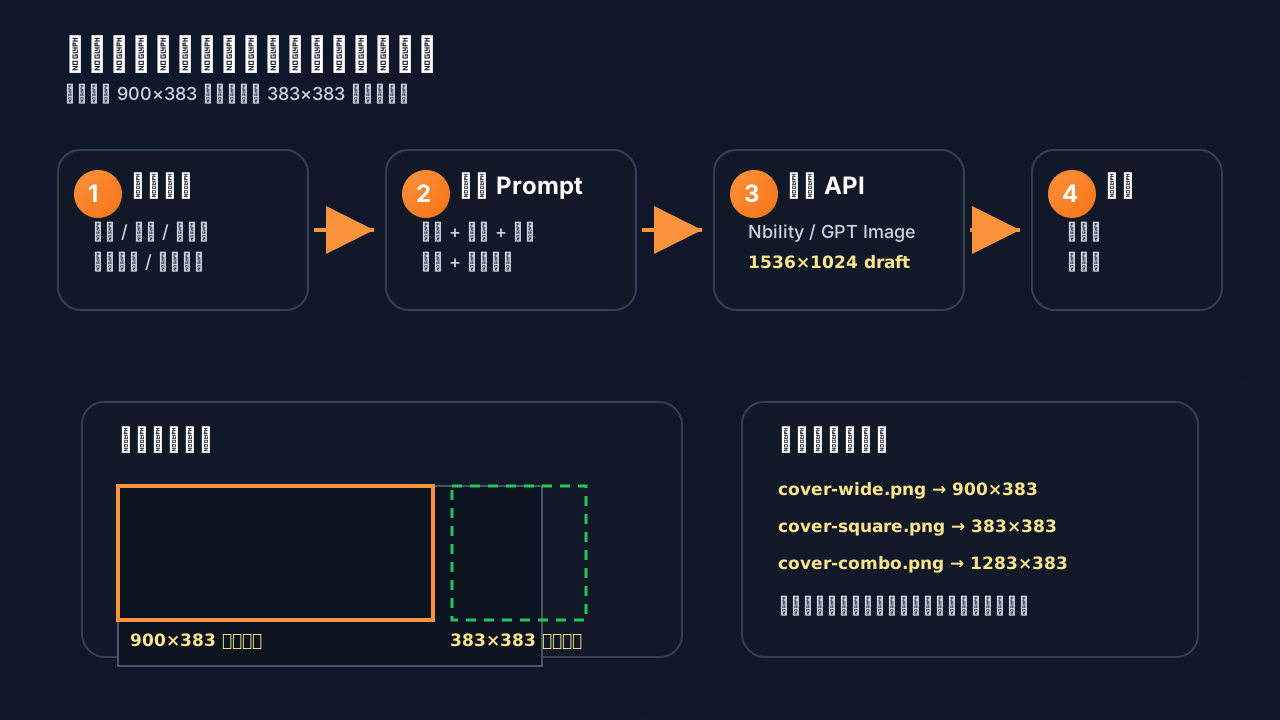
The safest approach is to prepare both 900×383 and 383×383 assets. If you want to upload one image and crop different areas in the WeChat backend, create a combined 1283×383 image: the wide cover on the left and the square sharing cover on the right.
Why this is a good AI automation task
WeChat cover generation is suitable for automation because:
- The article already provides a title, summary, and keywords.
- Many covers are conceptual visuals, scenes, or atmosphere images rather than real photography.
- A single account usually has a consistent visual style, so prompt templates are reusable.
- One article may need several derivatives: official cover, sharing card, Xiaohongshu image, and tweet image.
- Editors usually need a few good directions quickly, not one perfect image on the first try.
A unified OpenAI-compatible gateway such as Nbility fits naturally here: a text model can extract the brief, an image model can generate the visual base, and a small script can crop and export the final assets. Base URL, API key, usage logs, and model switching stay in one place.
Recommended workflow
Article Markdown / title / summary
  -> extract topic, audience, hook, and forbidden elements
  -> generate cover prompt
  -> call image generation API
  -> crop/export 900×383, 383×383, and 1283×383
  -> quick human selection and adjustment
  -> upload to WeChat backend and preview on mobile
Do not make the AI decide everything. A reliable division of labor is:
- AI generates 2–4 visual directions.
- Scripts handle dimensions, crop areas, safe zones, and compression.
- Humans approve final copy, sensitive content, brand consistency, and click expectations.
Step 1: Turn the article into a cover brief
Do not give the image model only the title. Extract a structured brief:
title: "Automatically generate WeChat article covers"
summary: "Use AI to generate headline covers, sharing covers, and combined cover assets from an article title and summary."
audience: "WeChat operators, editors, indie developers, AI content teams"
hook: "No more spending half an hour after the article is done"
visual_metaphor: "An AI assistant generating multiple cover drafts on a design desk"
brand_style: "black and orange, tech-oriented, clean title space"
constraints:
  - "no real logos"
  - "no QR codes, real portraits, or API keys"
  - "do not rely on small generated Chinese text"
The goal is not to paraphrase the title. The cover should create a reason to click.
Step 2: Generate the base image prompt
A stable prompt structure looks like this:
Use case: WeChat Official Account cover for a tech/AI tutorial.
Subject: an AI assistant generating multiple article cover drafts on a desktop screen.
Composition: horizontal layout, clean Chinese title space on the left, main visual on the right,
and still recognizable when cropped to a square sharing card.
Style: black-and-orange tech illustration, clean, modern, not too crowded.
Constraints: no real logos, no QR codes, no watermark, no readable small text, no API keys.
For Chinese covers, do not rely on the image model to render the final title. A more robust workflow is: generate a clean no-text background, then add the title with a script or design tool.
Step 3: Call the image generation API
Install dependencies:
python -m venv .venv
source .venv/bin/activate
pip install openai python-dotenv pillow
.env:
NBILITY_API_KEY=[REDACTED]
NBILITY_BASE_URL=https://api.nbility.dev/v1
NBILITY_IMAGE_MODEL=gpt-image-2
generate_cover_base.py:
import base64
import os
from pathlib import Path

from dotenv import load_dotenv
from openai import OpenAI

load_dotenv()

client = OpenAI(
    api_key=os.environ["NBILITY_API_KEY"],
    base_url=os.environ.get("NBILITY_BASE_URL", "https://api.nbility.dev/v1"),
)

prompt = """
WeChat Official Account article cover background for an AI tutorial.
A friendly AI assistant designing multiple article cover drafts on a desktop screen.
Composition: horizontal cover, clean title space on the left, main visual on the right,
and still recognizable when center-cropped to a square sharing card.
Style: modern tech illustration, black and orange palette, soft glow, clean layout.
Constraints: no readable text, no real logos, no QR code, no watermark, no API keys.
"""

result = client.images.generate(
    model=os.environ.get("NBILITY_IMAGE_MODEL", "gpt-image-2"),
    prompt=prompt,
    size="1536x1024",
    quality="medium",
)

Path("cover-base.png").write_bytes(base64.b64decode(result.data[0].b64_json))
print("saved cover-base.png")
This generates a high-resolution base image first. Cropping from a larger base is often more stable than asking the model to generate a very flat 900×383 image directly.
Step 4: Export WeChat-ready sizes
Use Pillow to export:
cover-wide.png:900×383, headline cover.cover-square.png:383×383, sharing cover.cover-combo.png:1283×383, combined image for backend cropping.
export_wechat_covers.py:
from pathlib import Path
from PIL import Image, ImageDraw, ImageFont

SRC = Path("cover-base.png")
OUT = Path("dist")
OUT.mkdir(exist_ok=True)

TITLE = "AI Cover Images"
SUBTITLE = "From article to visuals"

img = Image.open(SRC).convert("RGB")

wide_ratio = 900 / 383
w, h = img.size
if w / h > wide_ratio:
    new_w = int(h * wide_ratio)
    left = (w - new_w) // 2
    img_wide_src = img.crop((left, 0, left + new_w, h))
else:
    new_h = int(w / wide_ratio)
    top = (h - new_h) // 2
    img_wide_src = img.crop((0, top, w, top + new_h))

wide = img_wide_src.resize((900, 383), Image.LANCZOS)

draw = ImageDraw.Draw(wide, "RGBA")
draw.rounded_rectangle((36, 58, 420, 280), radius=24, fill=(15, 23, 42, 190))

try:
    font_title = ImageFont.truetype("/usr/share/fonts/truetype/noto/NotoSansCJK-Bold.ttc", 54)
    font_sub = ImageFont.truetype("/usr/share/fonts/truetype/noto/NotoSansCJK-Regular.ttc", 26)
except Exception:
    font_title = ImageFont.load_default()
    font_sub = ImageFont.load_default()

draw.text((64, 95), TITLE, font=font_title, fill=(255, 255, 255, 255))
draw.text((68, 185), SUBTITLE, font=font_sub, fill=(251, 146, 60, 255))
wide.save(OUT / "cover-wide.png", quality=95)

square = wide.crop((450, 0, 833, 383))
square.save(OUT / "cover-square.png", quality=95)

combo = Image.new("RGB", (1283, 383), "white")
combo.paste(wide, (0, 0))
combo.paste(square, (900, 0))
combo.save(OUT / "cover-combo.png", quality=95)

print("exported dist/cover-wide.png, dist/cover-square.png, dist/cover-combo.png")
If the sharing card misses the main subject, adjust the square = wide.crop(...) coordinates. Many covers fail not because the AI image is bad, but because the 1:1 crop was never designed.
Step 5: Pre-publish checklist
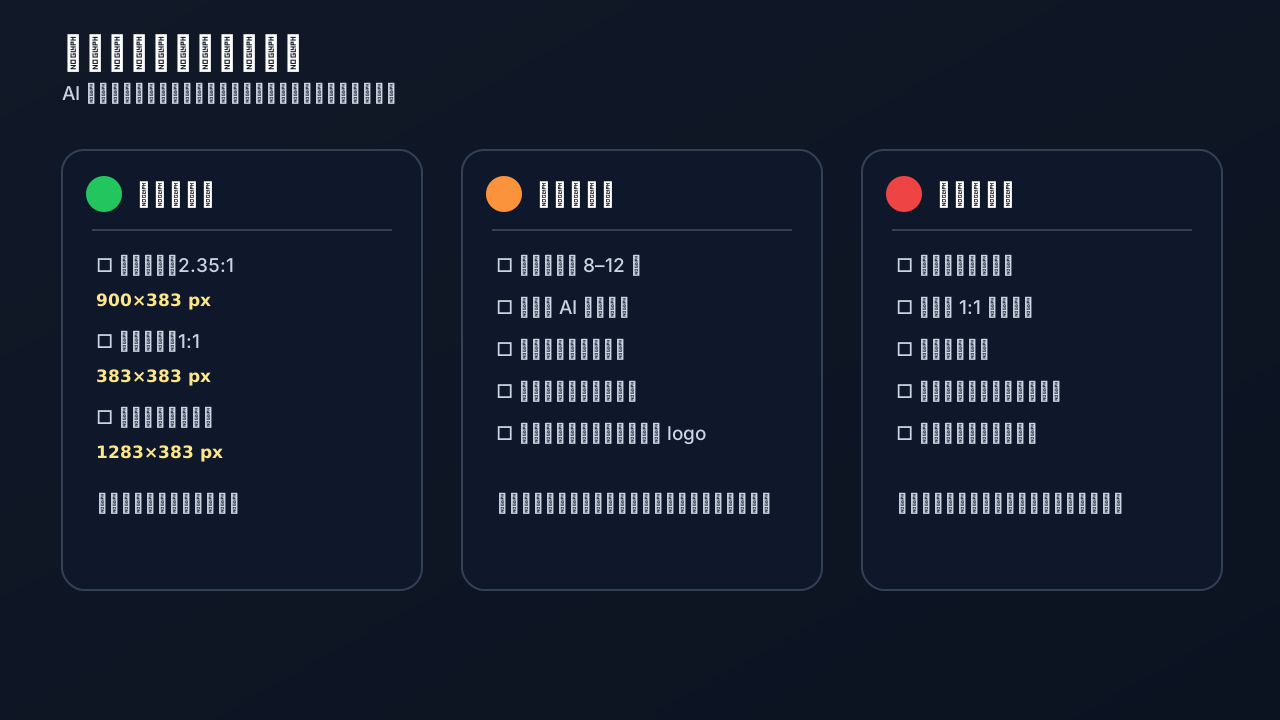
Before uploading:
- Is the headline cover cropped to
2.35:1? - Is the sharing cover cropped to
1:1? - Is the title readable on a phone-sized preview?
- Are important faces, products, or icons too close to the edge?
- Are there strange generated words, fake logos, watermarks, QR codes, or secrets?
- Is the file under the backend size limit?
- Did you preview the article in a chat, on the account homepage, and as a shared card?
For team workflows, track cover status as draft, selected, uploaded, previewed, and published. This prevents AI-generated drafts from being mistaken for final assets.
FAQ
Why does AI-generated cover text look wrong?
Image models are improving, but Chinese title rendering can still fail. For WeChat covers, generate a no-text background and add the title with a script, Figma, Canva, or another design tool.
Why does the headline cover look good but the sharing card look bad?
The headline cover is wide; the sharing card is square. Design the composition so the main subject survives the 1:1 crop. Always export and inspect cover-square.png.
How many candidates should I generate?
Usually no more than three. Too many options increase decision fatigue. Generate three directions, choose one, then iterate once or twice.
How do I control cost?
Use lower or medium quality for drafts, then higher quality for the final asset. Record article title, user, task ID, image size, and model name so you can attribute cost through Nbility’s unified usage logs.
Can publishing be fully automated?
Cover generation can be highly automated, but final publication should still be manually previewed. Covers involve branding, platform cropping, safety, and possible misleading visuals.
Reusable directory structure
wechat-cover-workflow/
├── articles/
│   └── example.md
├── prompts/
│   └── cover_prompt_template.txt
├── outputs/
│   └── 2026-05-27-example/
│       ├── cover-base.png
│       ├── cover-wide.png
│       ├── cover-square.png
│       └── cover-combo.png
├── generate_cover_base.py
└── export_wechat_covers.py
An AI Agent can read the Markdown article, generate the brief, call the image script, export the final sizes, and write a publishing checklist. With that in place, cover creation becomes part of the content pipeline instead of an extra manual task.
References
- WeChat Open Community: two Official Account cover settings: https://developers.weixin.qq.com/community/develop/article/doc/00068ebcc4c65082572357c876b413
- WeChat Open Community: rich-media article editing method: https://developers.weixin.qq.com/community/develop/doc/000200289847d025d679fa0ab56809
- OpenAI Image generation guide: https://developers.openai.com/api/docs/guides/image-generation
- OpenAI GPT Image prompting guide: https://developers.openai.com/cookbook/examples/multimodal/image-gen-models-prompting-guide
- Nbility API overview: https://nbility.dev/docs/api