Building a WeChat Group AI Assistant: Q&A, Summaries, and Image Generation
Article 17 in the AI Agent hands-on series: design a WeChat group AI assistant with group Q&A, scheduled summaries, image generation, permissions, logs, and cost control.
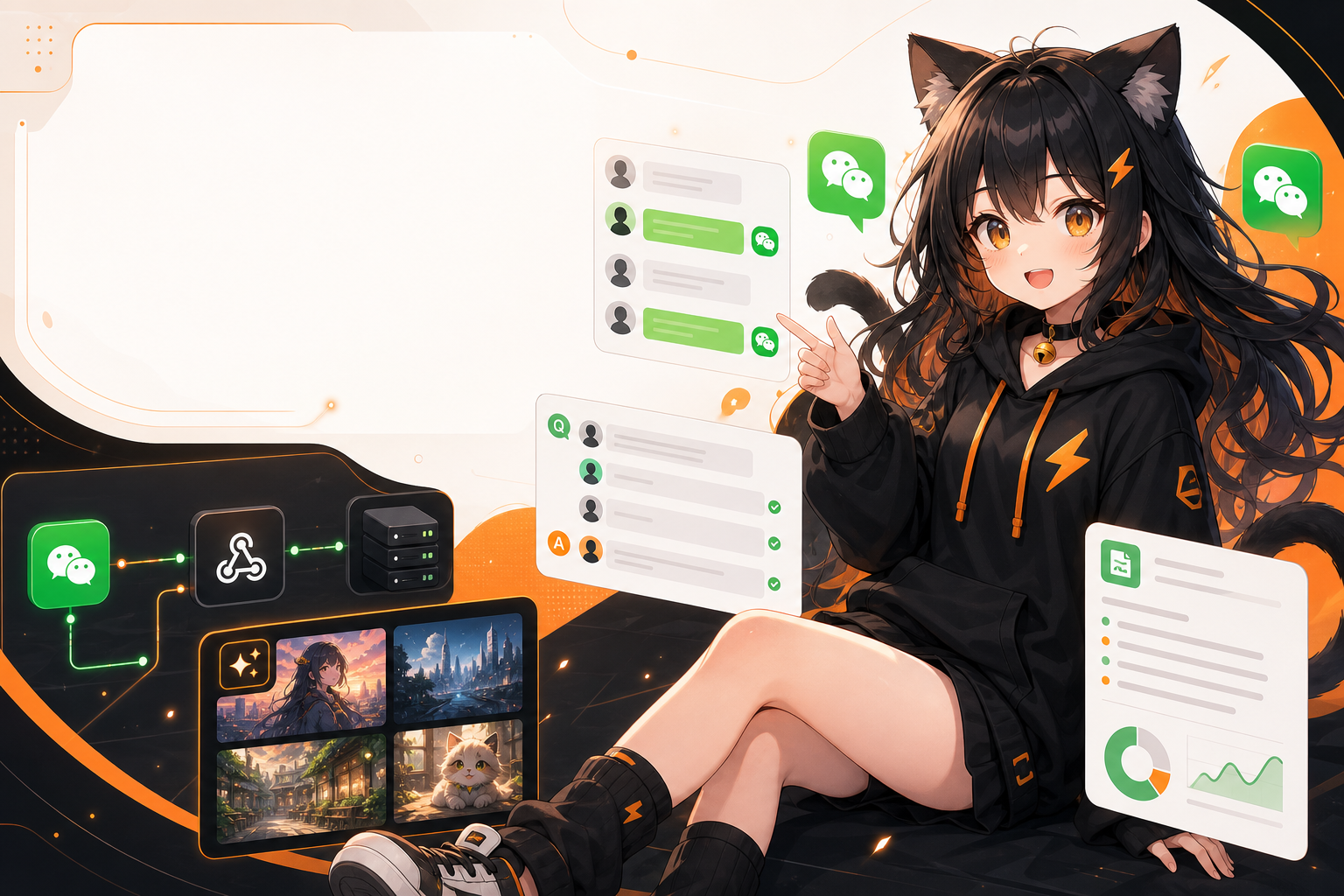
Many people want to put an AI assistant into a WeChat group and expect it to work like a Telegram bot: create a bot, invite it to a group, and start chatting.
In reality, the WeChat ecosystem is more complicated. Personal WeChat groups, WeCom groups, Official Accounts, WeCom apps, and webhook robots all have different capabilities and limits. If you do not choose the right entry point first, you may build something that appears to work but is unstable, noisy, and risky for accounts or compliance.
This guide does not encourage spam bots or high-frequency automation on personal WeChat accounts. Instead, it explains how to design a practical WeChat group AI assistant: entry points, triggers, context, group summaries, image generation, permissions, and cost control.
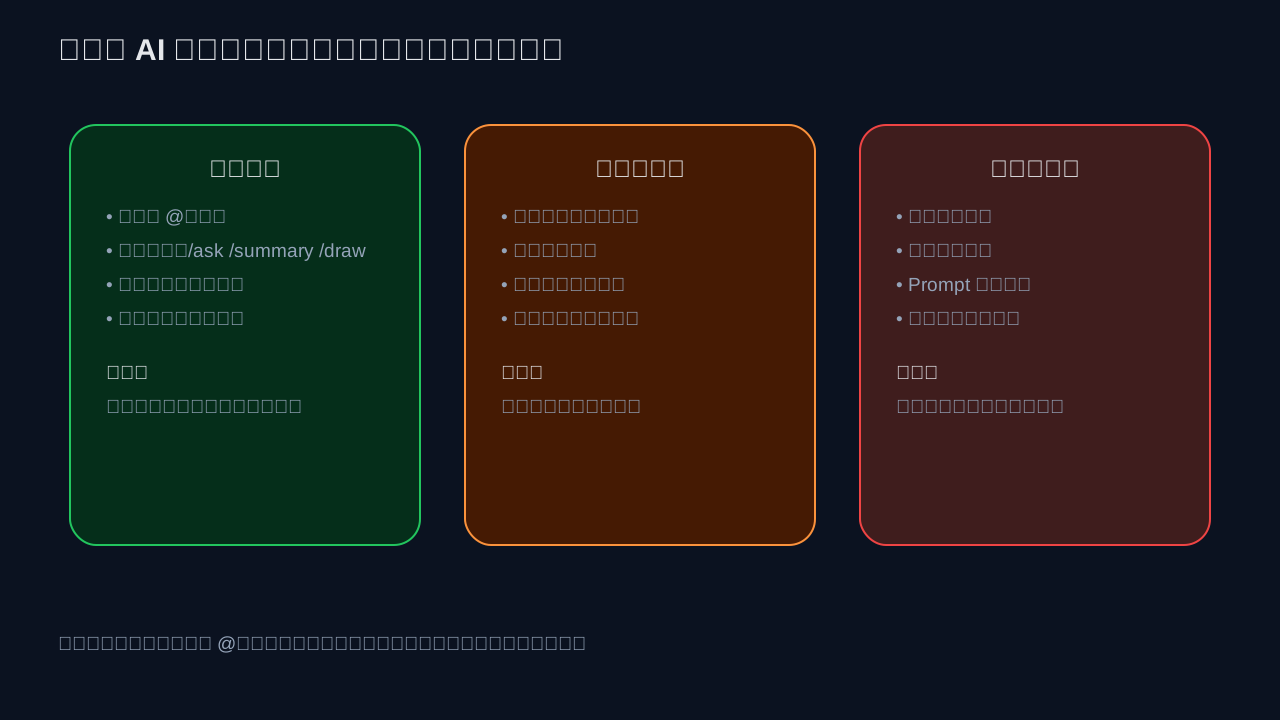
Key Principle: Do Not Listen and Reply to Everything by Default
The most common reason a group AI assistant fails is not that the model is not smart enough. It is that the bot is too noisy.
Recommended default behavior:
- Group Q&A: reply only when explicitly triggered by
@bot,/ask, or similar commands; - Group summaries: run on a schedule, such as 20:00 every day;
- Image generation: require explicit commands, such as
/draw a cat writing code; - Admin commands: only admins can enable summaries, manage allowlists, or adjust budgets;
- Logs: keep necessary message snippets and usage records, but define retention periods.
These rules matter more than model intelligence. A group chat is a shared space. The AI assistant's first job is to be quiet, controllable, and auditable.
Three Integration Routes
Route 1: WeCom Group Robot Webhook
WeCom group robots are one of the clearest and most stable official options. The WeCom developer documentation for message push configuration states that you can send HTTP requests to a group robot webhook URL to push messages into a group.
Supported message types include:
text;markdown;markdown_v2;image;news;file;voice;template_card.
The important limitation: a webhook robot is mainly for pushing messages into a group. It is not a complete two-way bot that reads every group message and automatically replies. If you need daily summary pushes, alerts, task reminders, or generated image notifications, this route is a good starting point. If you need real-time reading of personal WeChat group messages, this is not the right tool by itself.
Send a text message:
curl 'https://qyapi.weixin.qq.com/cgi-bin/webhook/send?key=[REDACTED]' \
  -H 'Content-Type: application/json' \
  -d '{
    "msgtype": "text",
    "text": {
      "content": "The group summary will be sent at 20:00 tonight."
    }
  }'
Send Markdown:
curl 'https://qyapi.weixin.qq.com/cgi-bin/webhook/send?key=[REDACTED]' \
  -H 'Content-Type: application/json' \
  -d '{
    "msgtype": "markdown",
    "markdown": {
      "content": "## Today’s Group Summary\n> Topics: Agent deployment, model cost, and image generation."
    }
  }'
The official documentation also states that text content must be within 2048 bytes, markdown content within 4096 bytes, and content must be UTF-8 encoded. This means group summaries should be concise.
Route 2: Wechaty / wxauto / itchat Personal Account Automation
If you need to read WeChat group messages and respond automatically, community projects often mention Wechaty, wxauto, and itchat.
Be careful with this route:
- Wechaty is an open-source conversational RPA SDK with a Puppet abstraction for adapting to different IM protocols;
- wxauto automates the Windows WeChat client. Its README explicitly frames it as UIAutomation technology learning and warns against production or illegal usage;
- itchat is an older Python personal WeChat account API, but login stability, Web WeChat availability, and account risk are your responsibility.
My practical recommendation:
- Personal experiments and low-frequency internal tools: these projects can be studied;
- Long-term production, customer support, or commercial scenarios: prefer official capabilities, WeCom, Official Accounts, customer service systems, or compliant message entry points;
- Avoid marketing blasts, harassment, growth hacks, auto-adding contacts, and other high-risk behavior.
If you still experiment with this route, at least implement allowlisted groups, explicit triggers, rate limits, kill switches, error logging, and privacy controls.
Route 3: Treat WeChat as an Entry Point and Deploy AI Separately
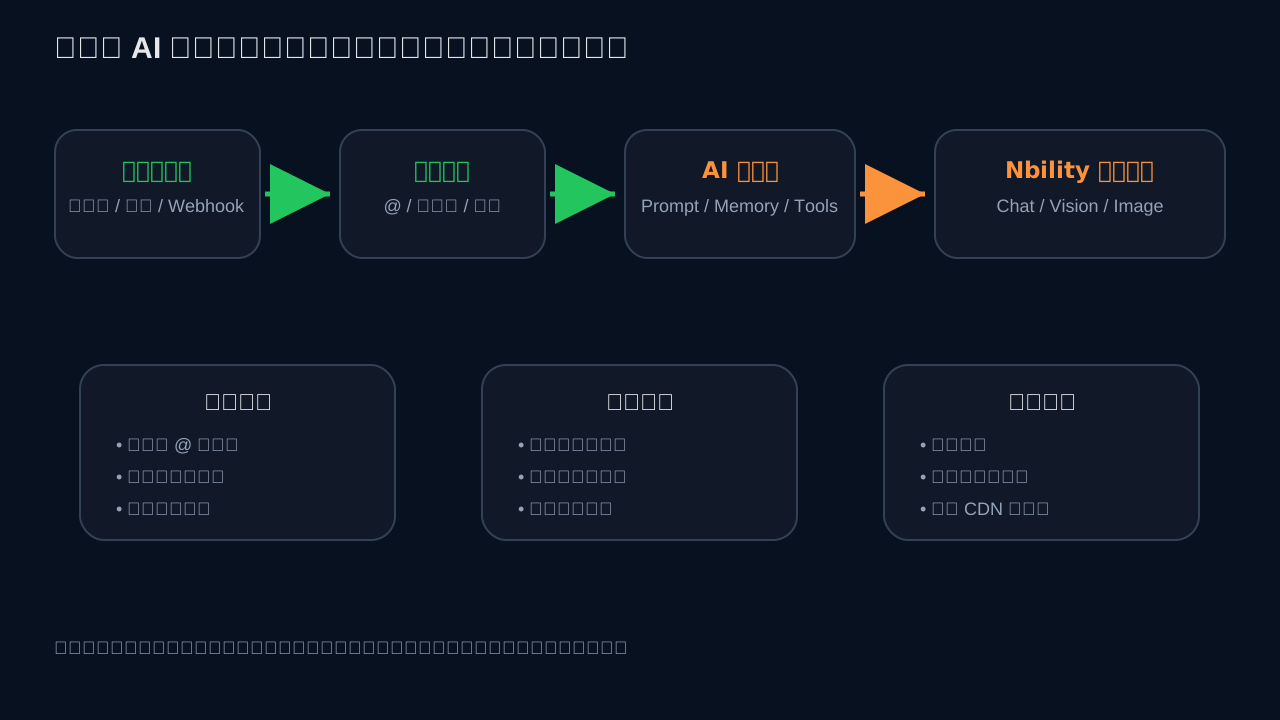
The most maintainable engineering design is to keep the WeChat adapter thin and deploy the AI service separately.
WeChat / WeCom entry point
  -> message adapter
  -> FastAPI / Node.js backend
  -> router: Q&A / summary / image / admin commands
  -> Nbility OpenAI-compatible API
  -> return text, Markdown, CDN images, or files
Benefits:
- You can later connect QQ, Telegram, Feishu, or WeCom with the same AI backend;
- Model calls, logs, budgets, and permissions are managed consistently;
- If the WeChat entry point changes, you replace the adapter instead of rewriting AI logic;
- Group summaries, image generation, and knowledge-base Q&A can be separate modules.
Minimal Backend: FastAPI Version
The following minimal service does not depend on a specific WeChat SDK. It exposes an HTTP endpoint that any adapter can forward group messages to.
Install dependencies:
python3 -m venv .venv
source .venv/bin/activate
pip install fastapi uvicorn openai pydantic
Create app.py:
import os
from typing import Literal
from fastapi import FastAPI
from pydantic import BaseModel
from openai import OpenAI

app = FastAPI()

client = OpenAI(
    api_key=os.environ["NBILITY_API_KEY"],
    base_url="https://api.nbility.dev/v1",
)

class IncomingMessage(BaseModel):
    platform: str = "wechat"
    group_id: str
    user_id: str
    user_name: str | None = None
    text: str
    message_id: str | None = None
    timestamp: int | None = None

class BotResponse(BaseModel):
    type: Literal["none", "text"]
    content: str = ""

def should_reply(msg: IncomingMessage) -> bool:
    text = msg.text.strip()
    return text.startswith("/ask ") or "@AI Assistant" in text

@app.post("/wechat/message", response_model=BotResponse)
def handle_message(msg: IncomingMessage):
    if not should_reply(msg):
        return BotResponse(type="none")

    question = msg.text.replace("@AI Assistant", "").replace("/ask", "", 1).strip()
    if not question:
        return BotResponse(type="text", content="Please write your question after @AI Assistant.")

    resp = client.chat.completions.create(
        model="gpt-4o",
        messages=[
            {"role": "system", "content": "You are an AI assistant in a WeChat group. Keep answers concise, state uncertainty, and do not fabricate facts."},
            {"role": "user", "content": question},
        ],
        temperature=0.3,
    )
    answer = resp.choices[0].message.content or "No valid response was generated."
    return BotResponse(type="text", content=answer[:1200])
Start it:
export NBILITY_API_KEY='[REDACTED]'
uvicorn app:app --host 0.0.0.0 --port 8787
This backend uses Nbility's OpenAI-compatible Chat Completions API:
Base URL: https://api.nbility.dev/v1
Authorization: Bearer [REDACTED]
Endpoint: POST /v1/chat/completions
It only solves the core message-routing and model-calling logic. You can then use WeCom, Wechaty, wxauto, or your own bridge to forward messages into /wechat/message.
Group Q&A: Answer Only What Should Be Answered
Use four filters for group Q&A:
- Group allowlist: only enabled groups can use the bot;
- Trigger rules: require mentions, command prefixes, or keywords;
- Rate limits: cool down by user and group;
- Content boundaries: avoid or disclaim high-risk topics such as privacy, account security, medical, and legal advice.
A simple routing function:
def route_message(text: str) -> str:
    text = text.strip()
    if text.startswith("/summary"):
        return "summary"
    if text.startswith("/draw"):
        return "image"
    if text.startswith("/ask") or "@AI Assistant" in text:
        return "qa"
    return "ignore"
Do not keep unlimited context. Use only the most recent relevant messages and redact sensitive data before sending it to a model:
def redact(text: str) -> str:
    import re
    text = re.sub(r"1[3-9]\d{9}", "[phone]", text)
    text = re.sub(r"[A-Za-z0-9._%+-]+@[A-Za-z0-9.-]+", "[email]", text)
    return text
Group Summaries: Scheduled, Windowed, Structured
Group summaries are often better than real-time replies because they do not interrupt the conversation. Store messages by time window, such as the last 24 hours or from midnight to now.
Summary prompt example:
You are a group chat summarization assistant. Based on the chat records below:
1. Do not invent conclusions that are not present in the records;
2. Output sections: Main Topics, Decisions, Action Items, Open Questions, Useful Links;
3. If there is not enough content, output “No meaningful summary today”;
4. Do not expose phone numbers, emails, tokens, or personal privacy.
Output format:
## Today’s Group Summary

### Main Topics
-

### Decisions
-

### Action Items
- Owner: Task: Due date:

### Open Questions
-

### Useful Links
-
Scheduling can be done with cron, systemd timers, APScheduler, or an agent scheduler. The key rule: if there are not enough messages, stay silent instead of sending a useless summary.
Image Generation: Explicit Commands and Traceable Results
Image generation works well in group chats, but it can quickly become expensive or noisy. Require explicit commands:
/draw a black cat programmer debugging a server under moonlight, cyberpunk style
Processing flow:
Detect /draw
  -> safety check and length limit
  -> call image generation API
  -> store task ID, prompt, user, group, and cost
  -> return CDN link or image message
Important rules:
- Do not automatically convert normal chat messages into image prompts;
- Reject or rewrite sensitive, infringing, real-person, political, or violent content;
- Retry failures at most once;
- If native WeChat image sending is unstable, return a CDN image link first;
- Apply a separate budget for image generation because it is usually more expensive than short text Q&A.
Launch Checklist
Before launching, verify:
- The bot is enabled only in allowlisted groups;
- It does not reply to unrelated messages by default;
- It ignores its own messages to avoid loops;
- Each group has a daily budget;
- Each user has rate limits;
- Admins can disable the bot with one command;
- Logs have retention limits;
- Image generation, link fetching, and file reading are permission-isolated;
- Failure reasons and model usage are observable;
- Group members understand the bot's capabilities and limits.
Suggested Product Modules
A maintainable group AI assistant should be split into modules:
adapter-wechat       # WeChat / WeCom entry adapter
router               # commands and triggers
memory               # recent message window, group configs, user preferences
qa                   # group Q&A
summary              # scheduled summaries
image                # image generation
moderation           # safety and rate limits
billing              # group budget and usage
admin                # admin commands
observability        # logs, failures, retries
You do not need to build everything on day one, but triggers, rate limits, budgets, and logs should exist from the beginning. They are infrastructure, not optional features.
FAQ
1. Can I build a bot for normal WeChat groups?
You can experiment, but be careful. Normal WeChat groups do not provide a stable official Bot API like Telegram. Community solutions usually rely on personal accounts, client automation, or protocol adapters, so stability, compliance, and account risk are your responsibility.
2. Can a WeCom group robot read group messages?
A WeCom webhook robot is mainly for pushing messages into a group. It is suitable for alerts, reports, summary pushes, and generated image notifications. It is not a full two-way chat bot by itself.
3. Where does Nbility fit?
At the model layer. The WeChat entry point handles messages, your backend handles routing and safety, and Nbility provides OpenAI-compatible API access, model calls, logs, and cost visibility.
4. Should group summaries store all chat records?
Avoid long-term storage of all raw messages. Keep only necessary messages for a short window, generate summaries, then retain summaries, tasks, links, and minimal audit logs with a deletion policy.
5. Should generated images be sent natively or as links?
It depends on the entry point. WeCom webhooks support image messages using Base64 and MD5. Personal WeChat bridges may have unstable native media sending. A practical default is to return a CDN image link first and add native image sending later.
References
- WeCom message push configuration: https://developer.work.weixin.qq.com/document/path/91770
- Wechaty website: https://wechaty.js.org
- Wechaty GitHub: https://github.com/wechaty/wechaty
- Wechaty Puppet documentation: https://wechaty.js.org/docs/specs/puppet
- wxauto GitHub: https://github.com/cluic/wxauto
- wxauto documentation: https://docs.wxauto.org
- itchat GitHub: https://github.com/littlecodersh/itchat
- Nbility API overview: https://nbility.dev/docs/api
- Nbility Chat Completions API: https://nbility.dev/docs/api/chat/completions
Summary
A WeChat group AI assistant is not just a model connected to a chat room. The hard parts are entry point selection, trigger rules, group etiquette, permissions, logging, budgets, and failure handling.
If you only need notifications and summary pushes, WeCom webhooks are a stable starting point. If you need real-time reading of normal WeChat groups, evaluate community solutions carefully. If you want to productize the assistant, decouple the WeChat adapter from the AI backend and use an OpenAI-compatible gateway such as Nbility as the model layer.